ABC analysis sorts your items by how much they move. A items are the few products behind most of your picks, C items are the long tail that rarely leaves the shelf, and B items sit in between. Sort them, place them right, and your pickers walk less while your busiest item stops living at the far end of aisle 14.
Where A, B and C come from
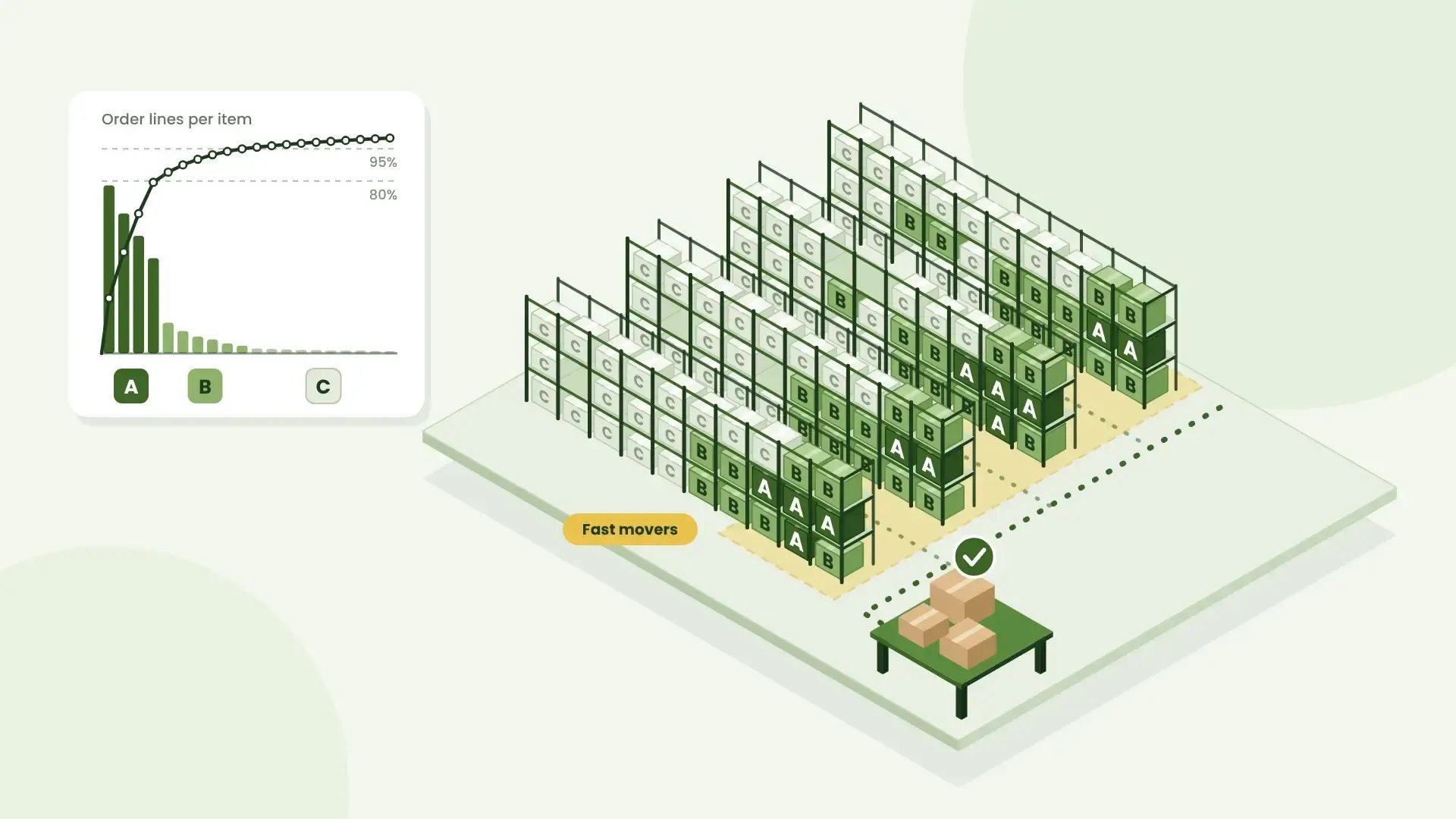
The idea of ABC is old: a small share of causes drives a large share of results. In most warehouses, a small group of items accounts for the bulk of order lines. A classic starting point looks like this:
- A items: about 20% of items, roughly 80% of picks
- B items: the next 30% of items, roughly 15% of picks
- C items: the remaining 50%, roughly 5% of picks
These are rules of thumb, not laws. Your split will look different, and finding out how is the whole point.
Rank by picks, not by revenue
The ABC list from finance is usually based on sales value. On the floor, what matters is pick frequency, because every order line is a trip to a shelf. A cheap phone case picked 300 times a week is an A item in the warehouse, even if it's a C item in the finance report.
Many warehouses keep both lists:
-
value for deciding what to count carefully,
-
picks for deciding where things live.
How to do it in an afternoon
- Export order lines per item for the last three to six months. Avoid a period skewed by one big campaign or Black Week.
- Sort items by number of order lines, highest first.
- Add a column with the cumulative share of all order lines.
- Draw a line where the cumulative share reaches about 80% and another at about 95%. Above the first line: A. Between the lines: B. The rest: C.
- Sanity-check the result with the people on the floor. They usually know which items are hot before the spreadsheet does.
What do I do with the classes?
-
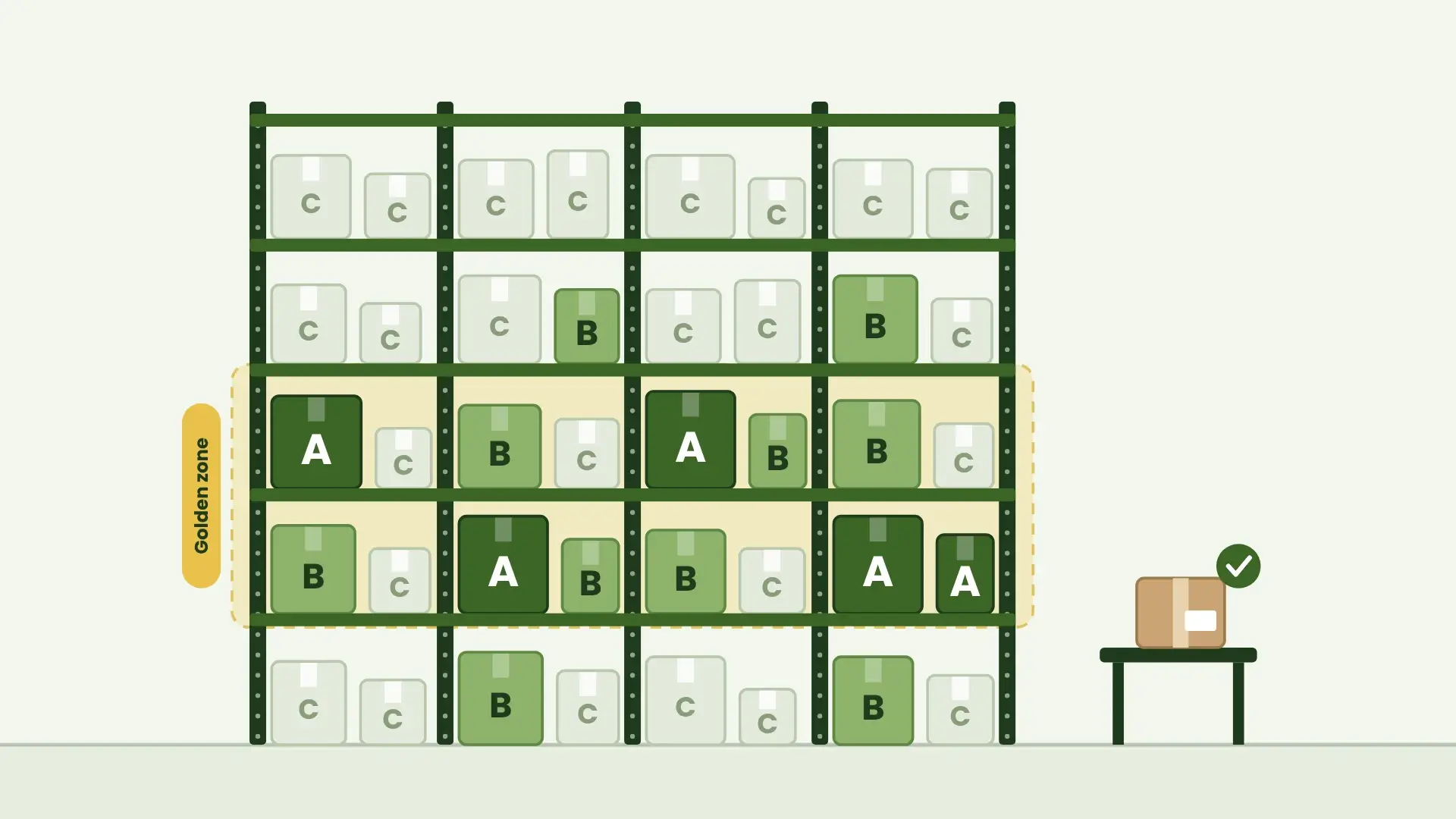
Placement. Put A items in the golden zone: between waist and shoulder height, close to packing and early on the main route. C items can go higher, lower or further back.
-
Spread the A items out. Put every fast mover in one aisle and you've built a traffic jam. Place them along the main route so pickers don't queue for the same shelf.
-
Replenishment. A item pick locations empty fastest. Set reload levels so nobody finds an empty bin halfway through a picking round.
-
Counting. Count A items more often in your cycle counts. A stock error on a fast mover hits far more orders than one on a slow mover.
-
Question the C tail. Some C items barely move at all. Ask whether they deserve a pick location or belong in bulk storage.
ABC is a snapshot, so keep it current
Seasons, launches and campaigns move items between classes. Rerun the analysis monthly or quarterly, and always before peak season. The analysis is the easy part; moving items to new locations takes real hours. So move the items that changed class and matter, not everything at once.
How Bitlog WMS helps
Bitlog WMS already has your pick history. For any item, Setup Advisor compares real pick history with how the item is set up today.
Then it suggests changes, for example to the reload level. It works one item at a time, so use it to check your A items rather than as a full ABC analysis. It only gives advice; you decide what to change.
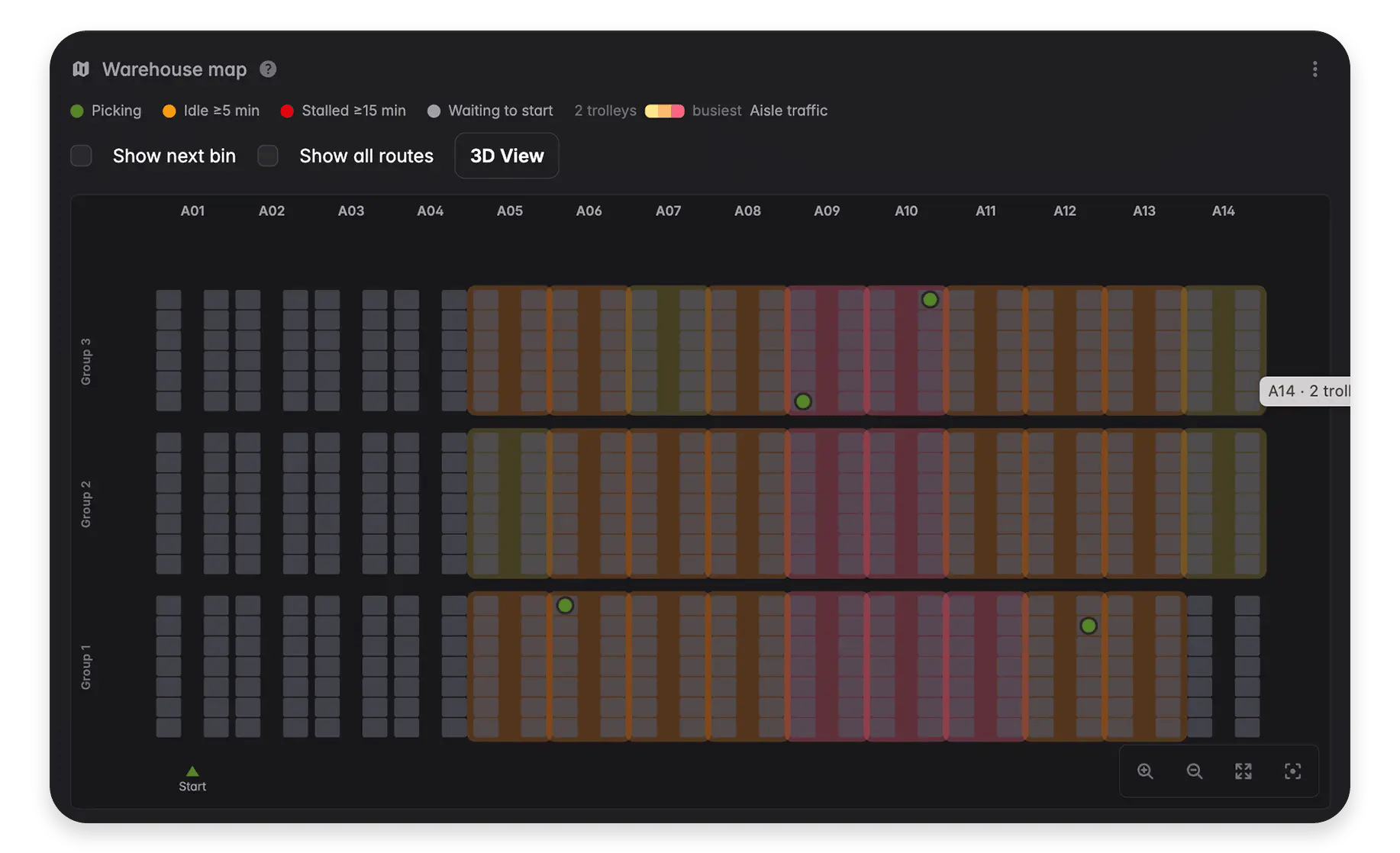
With the Picking Route Optimization license, you also get the Warehouse Map (see image): a live view of your floor that shows which aisles are busiest. If your A items are crowding one spot, you'll see the traffic jam right there.
FAQ
How many classes do I need?
Three is enough for most warehouses. Some add a D class for items that haven't moved at all, which gives you a ready-made clean-up list.
What's the difference between ABC and XYZ analysis?
ABC measures how much an item moves. XYZ measures how steady its demand is. Together they show which A items are stable and which swing from week to week.
Is ABC analysis worth it for a small warehouse?
Yes. It takes an afternoon in a spreadsheet, doesn’t need a WMS, and the placement habits scale as you grow.
The picking route
Good placement is half the job. The other half is how pickers walk between those shelves.
Now, learn about how to optimize your picking routes.