Bitlog WMS Web portal
Run your whole warehouse from one WMS web portal
See the floor live, plan deliveries, simulate a decision before you make it, then act. All from one browser window.
-
Operations Live
-
Real-time dashboards
-
and honest AI coaching, built in
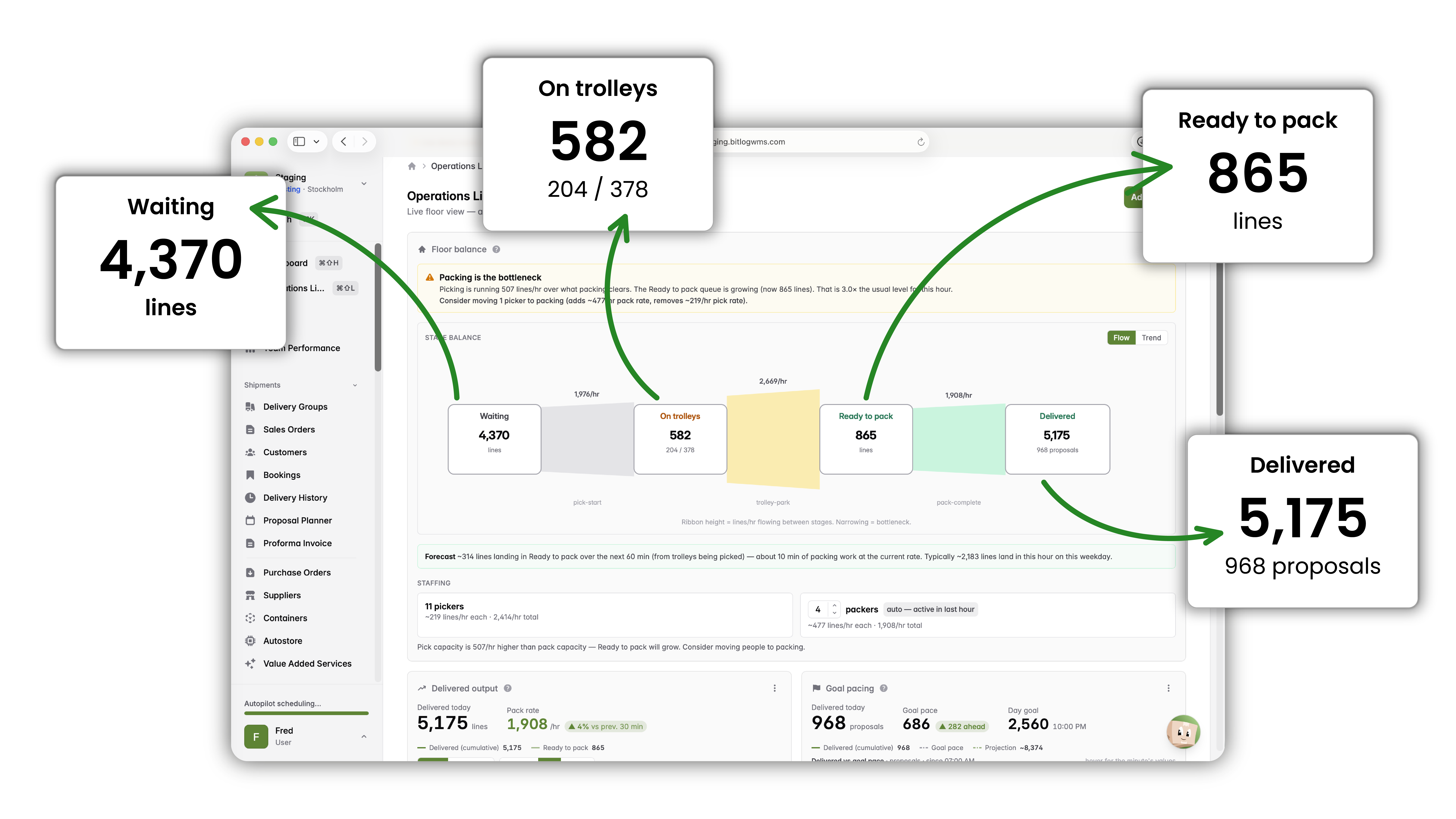
Operations Live: your real-time control room
Operations Live gives you a live, minute-by-minute picture of the floor, next to a dashboard you build for how you actually work.
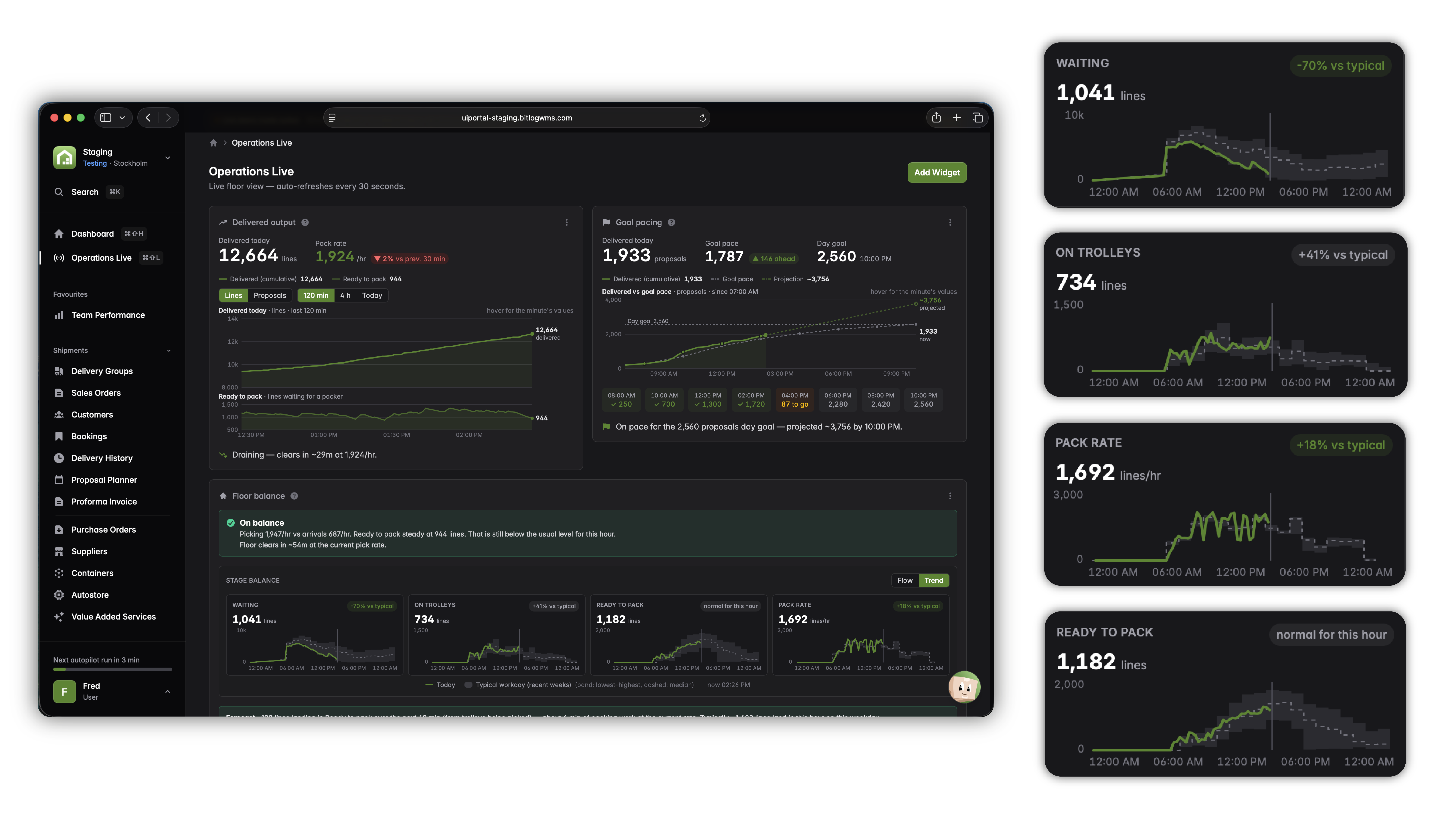
Autopilot plans the day. The portal is where you steer it.
Most warehouses set the day's priorities by hand, then react all afternoon. Bitlog doesn't work that way.
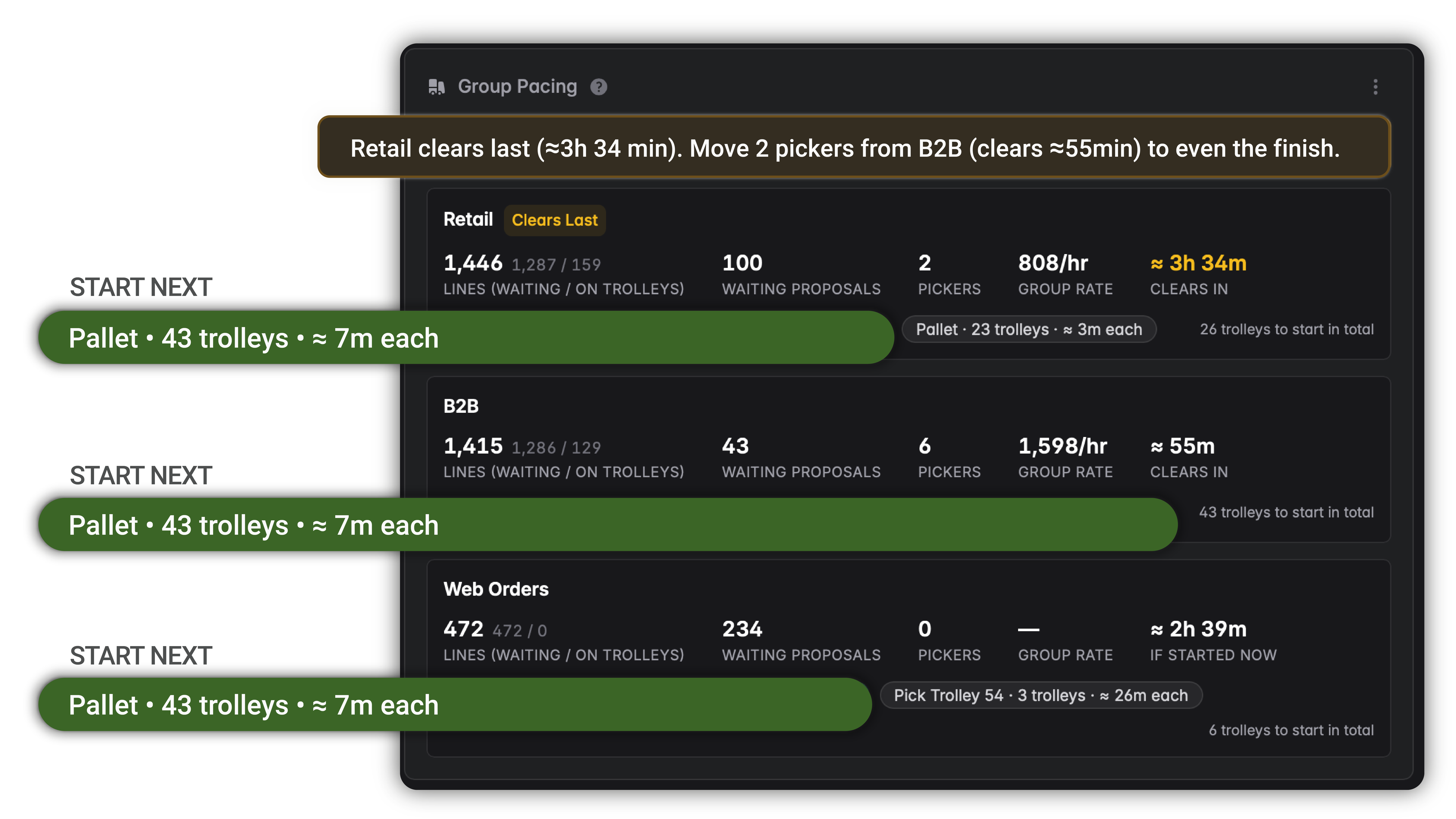
Autopilot's deterministic engine re-optimizes the open-order backlog every few minutes, weighing incoming orders, stock levels, purchase orders, and delivery schedules together. The portal is where that plan becomes visible and actionable. You watch it unfold in Operations Live and step in only where judgment is needed.
“Before, someone had to walk the warehouse with pen and paper to check what needed restocking. Now the tasks are assigned automatically, and we restock everything we'll pick in the coming days in 30 minutes.”

Mathias Gårdlund
Guideline – 99% faster restocking
-
Expiry risk, flagged automatically. Batches with best-before dates that won't sell in time are surfaced for you, so you can act before stock turns into waste.
-
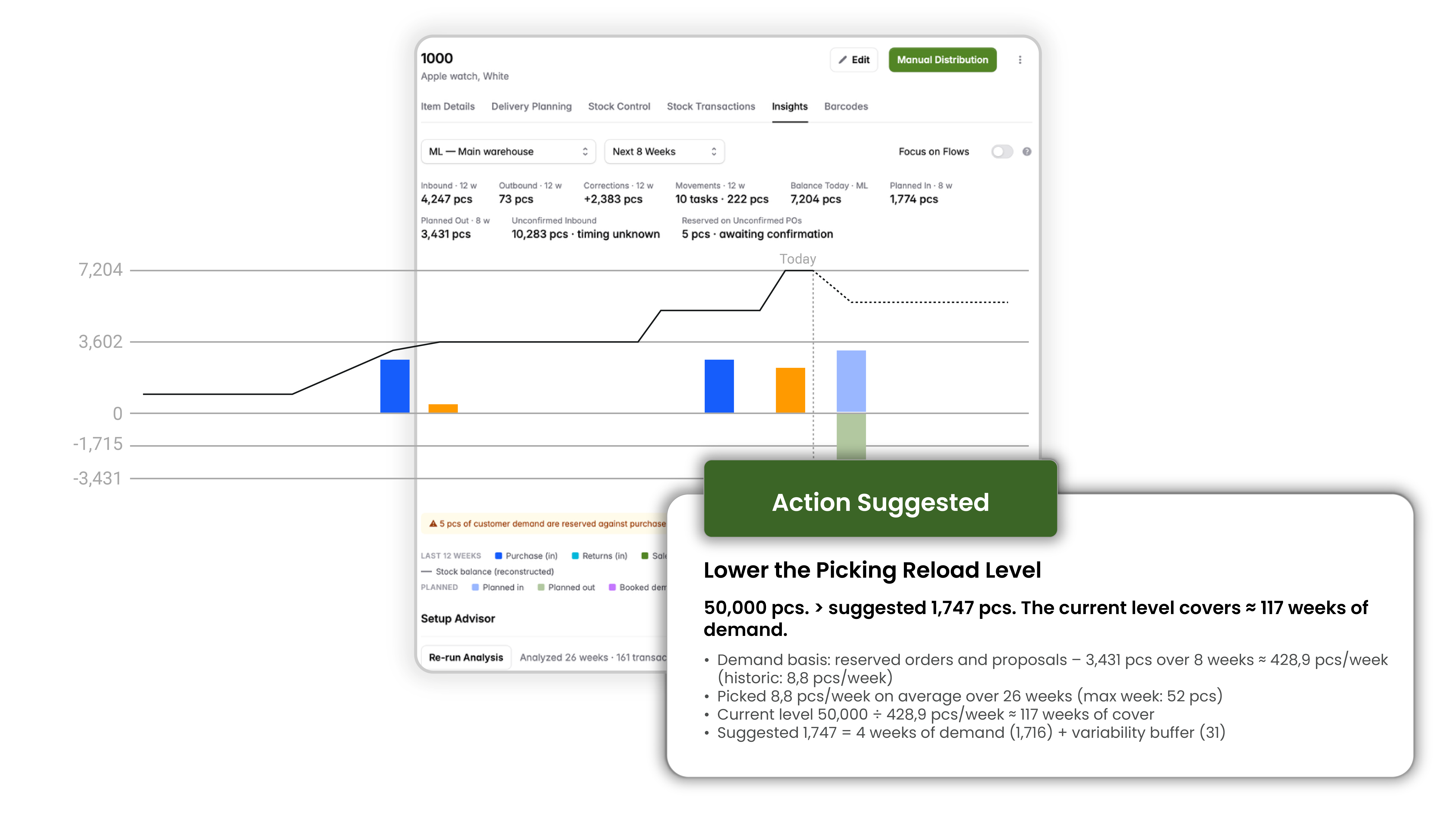
Item Setup Advisor. Reviews how an item is configured and suggests concrete improvements to its setup.
-
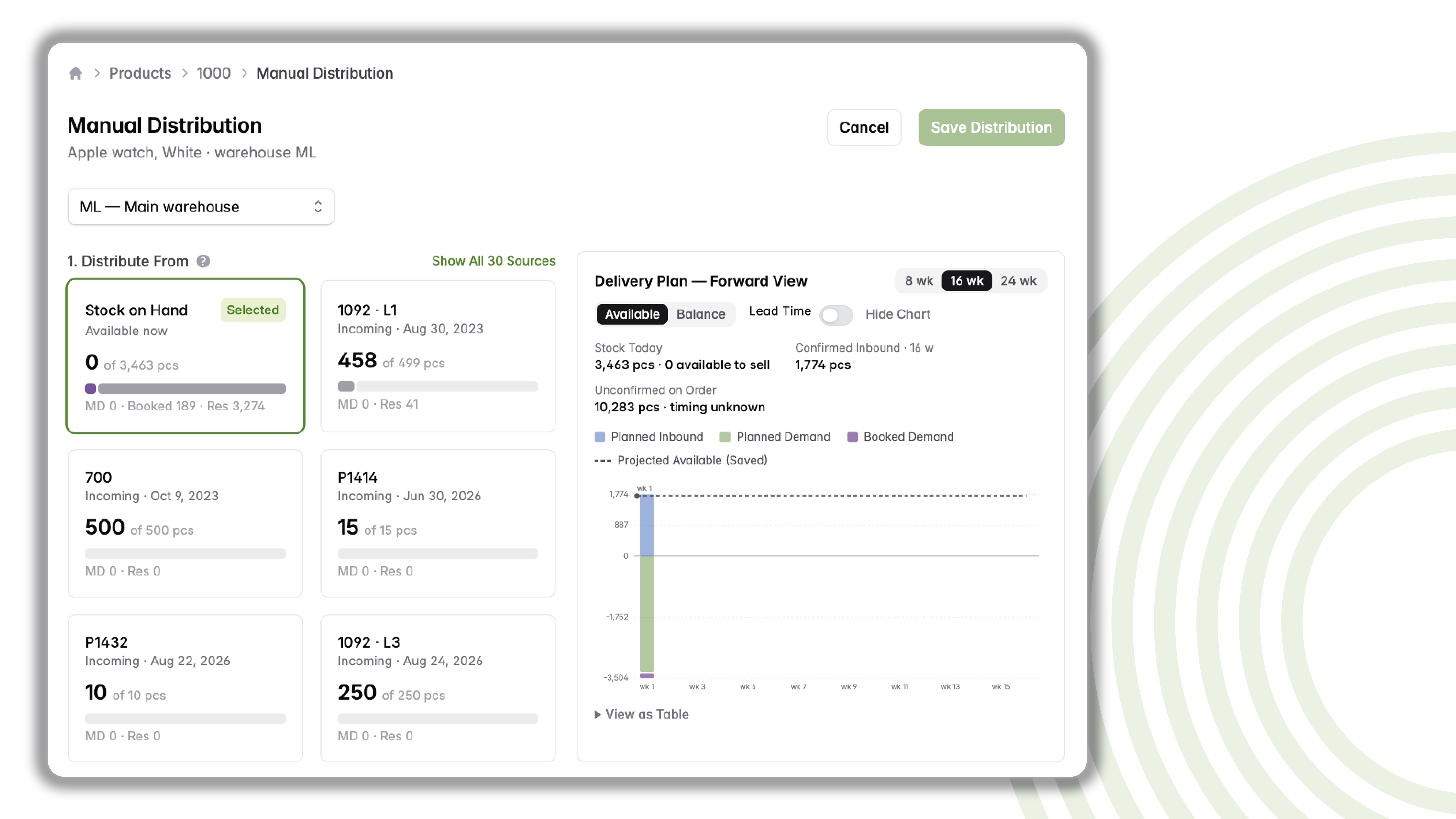
Supply and demand simulation. A forward-looking view of supply against demand, including a simulation of how your change would move the balance, before you commit to it.
-
The whole picture at a glance. Statistics sparklines for an instant feel of how an item is moving, availability figures that reflect what you can actually promise, clear barcodes with unit-of-measure support, and one-click export of stock transactions, delivery planning, and stock control to Excel or text.
-
Manual distribution. Distribute against order lines or toward assembly orders, see order dates directly in the list, sort the way you work, and follow a forward-looking delivery plan that shows the effect over time.
-
Booking orders. The same planning logic and information depth as manual distribution, because they're part of the same flow.
-
Delivery groups. Rich, customizable list views, with quick access to settings for anyone with the right permissions.
-
Container overview. Containers line up with reservation logic and show what's sold on each line. A detail our customers asked for by name.
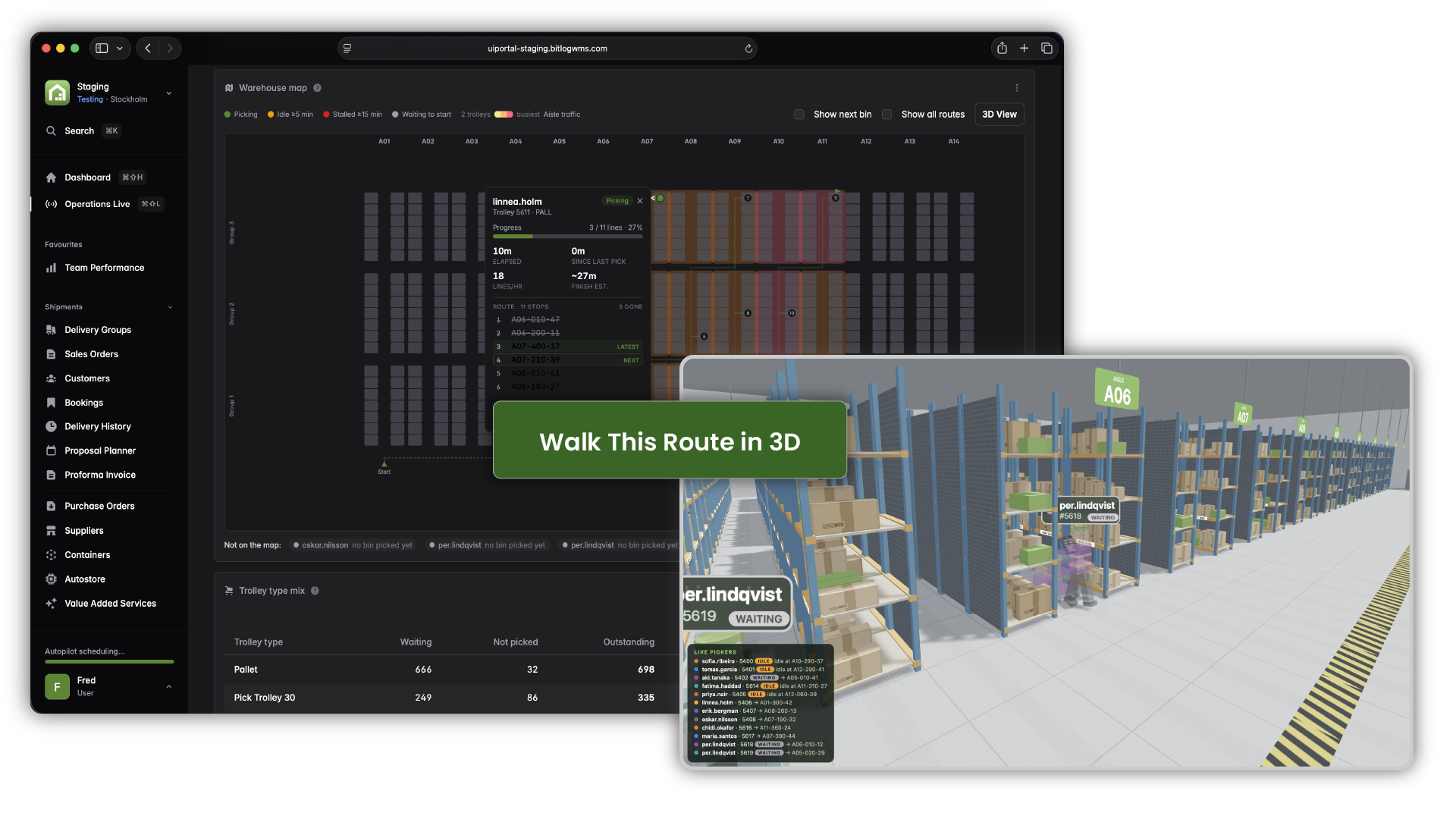
See your whole warehouse, in a heat map and in 3D
The warehouse map is wired into Bitlog's picking route logic. A heat map shows where activity is concentrated across the floor, popovers give you the quick facts on any location, and a 3D mode lets you simulate a pick and follow the route through the warehouse in three dimensions.
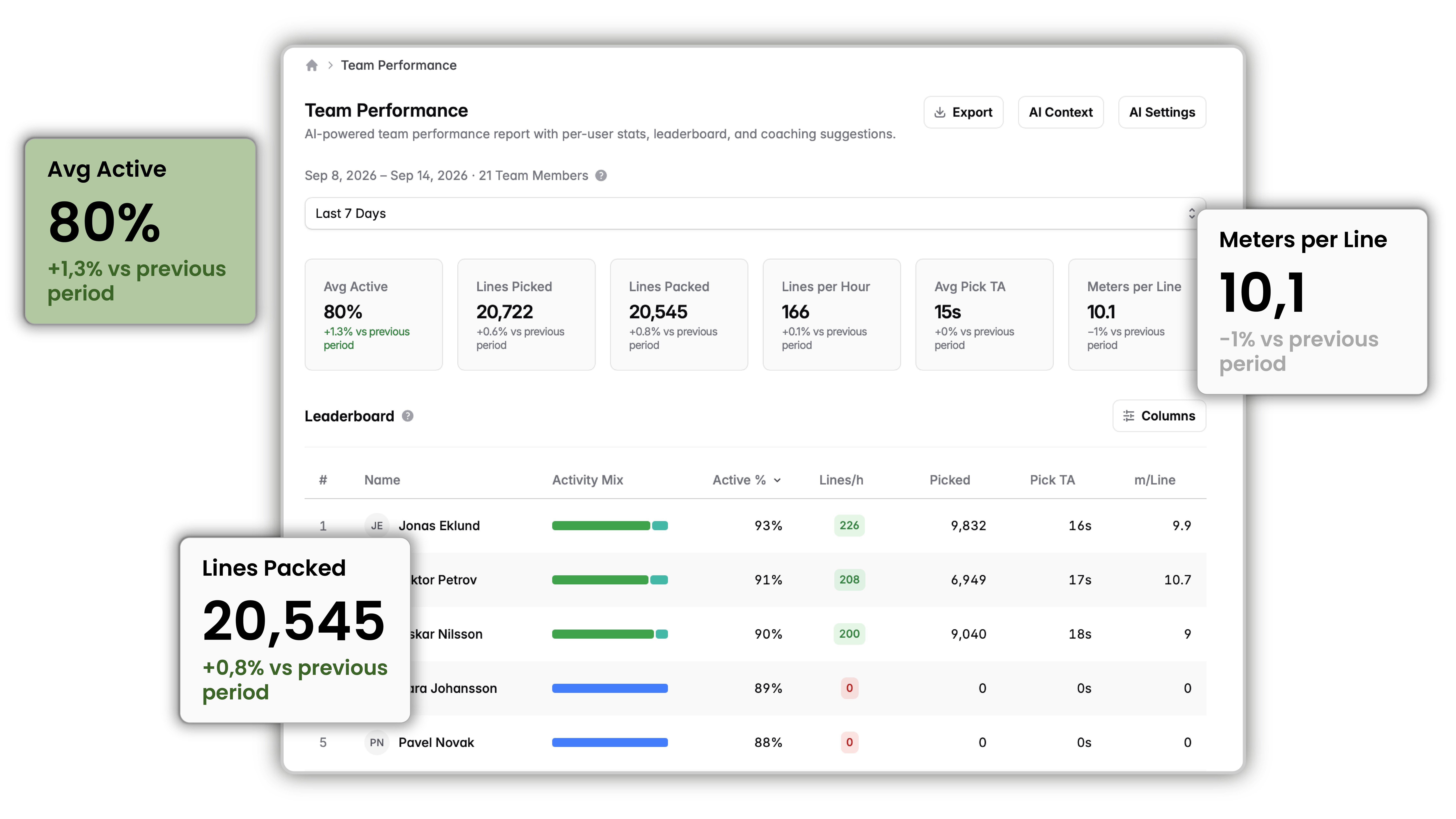
Team Performance with AI coaching
The Team Performance page gives leaders a clear read on how the team and the operation are doing: a leaderboard, shift and segment times in your local time, and export of the underlying data whenever you want it.
On top of that, Bitlog runs a nightly, Claude-written analysis of team performance and turns it into coaching suggestions you can act on. You set the context so the analysis reflects how your operation actually runs.
It's anonymized by design. Names never leave Bitlog. And to be clear about what's doing what: the AI assists and coaches. Your operations run on Bitlog's proven optimization engine.
On top of that, Bitlog runs a nightly, Claude-written analysis of team performance and turns it into coaching suggestions you can act on. You set the context so the analysis reflects how your operation actually runs.
It's anonymized by design. Names never leave Bitlog. And to be clear about what's doing what: the AI assists and coaches. Your operations run on Bitlog's proven optimization engine.
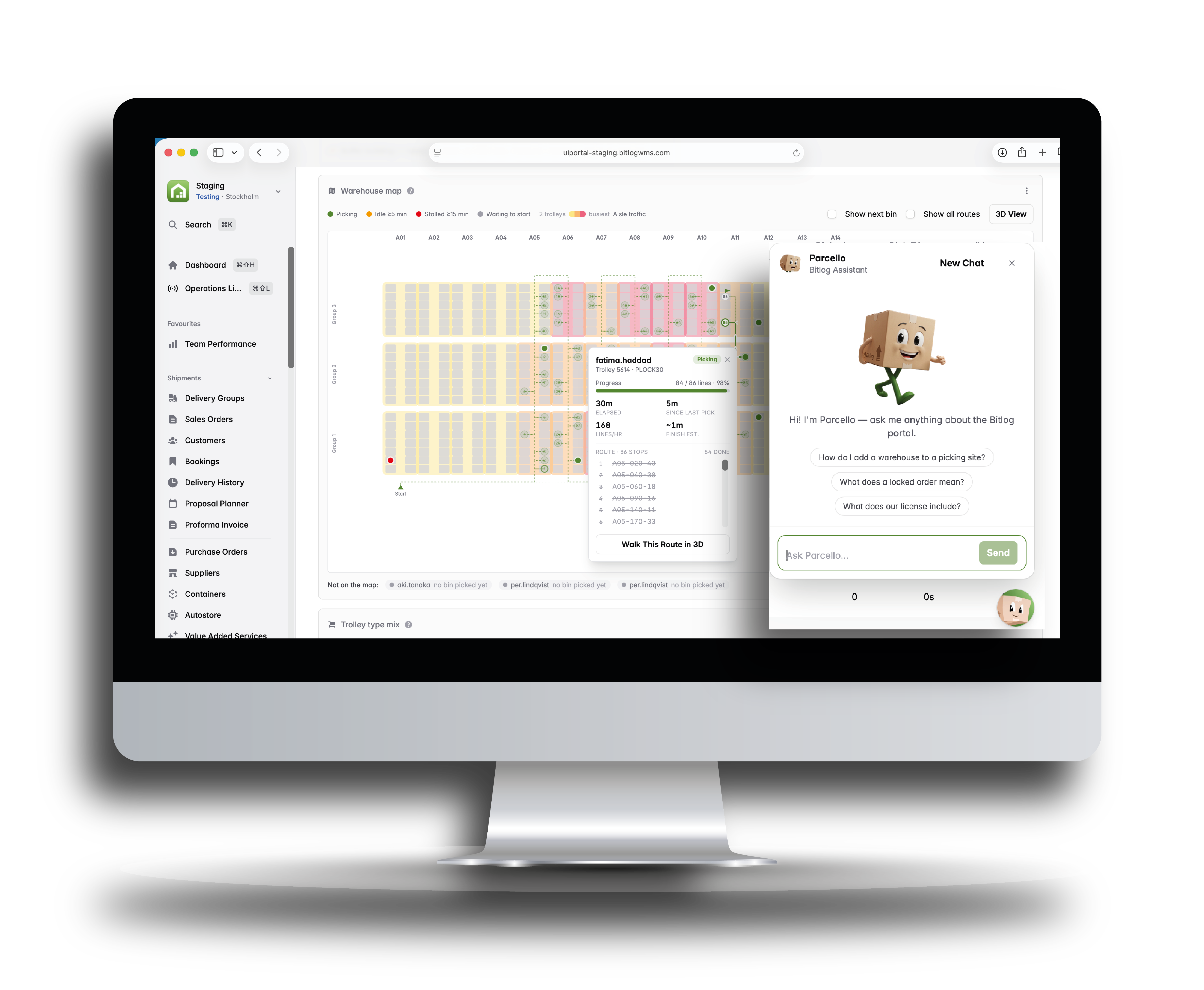
Parcello, your in-app expert
Every page in the Web Portal has a built-in assistant. Ask it how something works, or what a field on the screen does. It answers from Bitlog's own documentation, in your portal language, and shows you the sources it used. It knows your setup, so it explains your features as yours and tells you when something is an add-on.
Nothing sensitive leaves Bitlog. Only your question and Bitlog's documentation go to the assistant, never live warehouse data, and never personal or GDPR-sensitive information. When it doesn't know, it says so and points you to Bitlog Support. Access follows each user's permissions.
For your CFO
Know the numbers before you commit to them
The Web Portal shows you how the warehouse, teams, and items are performing right now. Not this morning. Not after the daily export. Now. Pull reports straight from Bitlog or push the data to your existing BI system.
More useful than a rear-view report: you can model a decision before you make it. Simulate supply against demand, see expiry risk before stock becomes waste, and check the delivery plan's effect over time. Fewer costly surprises, more decisions made on evidence.