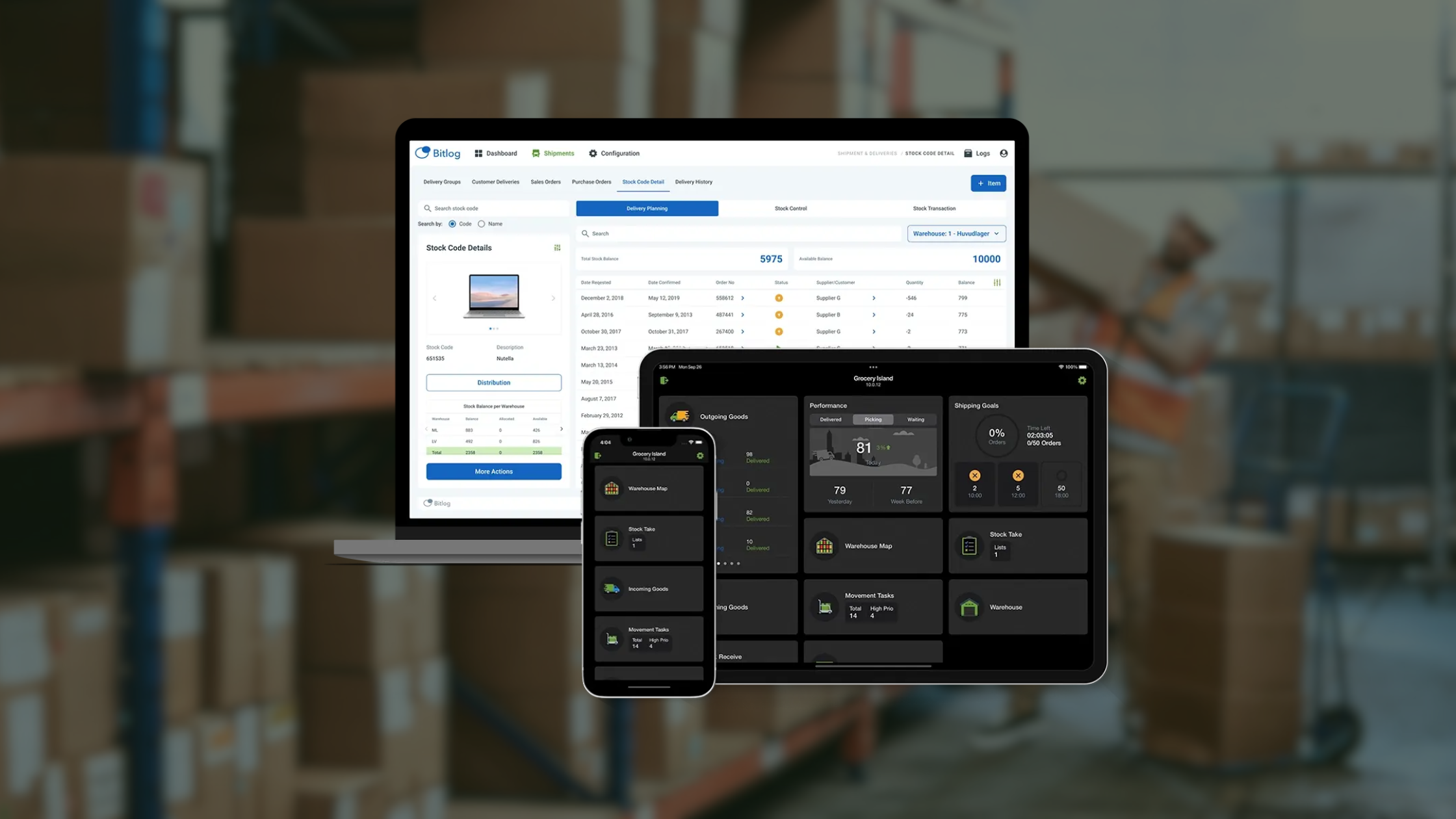
Pyramid customers choose a dedicated WMS when Pyramid Business Studio's built-in warehouse module can no longer keep up with growing order volumes. A warehouse management system (WMS) such as Bitlog WMS runs the work on the warehouse floor, while Pyramid stays the ERP and system of record. The two are connected through an integration, so orders, items and purchases move between them and nobody has to enter data twice.
In short:
- Pyramid runs the business. Bitlog WMS runs the warehouse.
- The Pyramid integration is built and maintained by Bitlog partner Effektiviserat.
- You keep Pyramid. There's no need to replace your ERP.
What is a dedicated WMS?
A dedicated WMS is a system built only for the warehouse. It runs receiving, put-away, picking, packing and shipping in real time, through mobile apps and handheld scanners. Your ERP handles the business side: finance, sales and purchasing. Read more about Bitlog WMS.
The difference is who each system is for. An ERP is made for people at a desk. A WMS is made for people on the warehouse floor, and it guides them step by step. For a deeper look, read standalone WMS or ERP integration.
Why isn't Pyramid's warehouse module enough?
Pyramid's warehouse module works for many businesses, but it often falls short once order volumes grow. Here are the most common signs:
- Pick lists that don't match what's actually on the shelf
- More mispicks and more time spent fixing them
- Long onboarding for new and seasonal staff
- Limited options for combining orders into fewer shipments
The answer is rarely more people in the warehouse. It's a system that plans the work for them. If you're comparing systems, start with our 7 tips for choosing the best WMS.
How does the integration between Pyramid and Bitlog WMS work?
Pyramid and Bitlog WMS share data through a two-way integration. Items, orders and purchases flow from Pyramid into Bitlog WMS, and completed warehouse tasks flow back to Pyramid as transactions. The integration is built and maintained by Bitlog partner Effektiviserat, who specialize in Pyramid Business Studio.
For warehouse managers, that means one thing above all: no more doing the same work twice.
As soon as an item, order or purchase is entered in Pyramid, it shows up in Bitlog WMS. Nobody has to retype anything or remind the office to update the system.
It works the other way, too. When your team finishes receiving a delivery, a stock transfer or a pick order, Pyramid records it automatically.
A few examples from the warehouse floor
- Do you create pick orders in Bitlog WMS by hand? No. When an order is placed in Pyramid, it shows up in Bitlog WMS, ready to pick.
- What happens when picking is done? The order is closed in Pyramid and ready to invoice. Nobody has to log it by hand.
- What about receiving a delivery? Stock levels update in both systems. No recounting and no fixing numbers after the fact.
What does daily work look like with Bitlog WMS?
Once the integration is live, your team works in Bitlog's mobile app, on iOS or Android. The app guides every step, so new pickers are productive after a 15-minute introduction. That matters most in peak season, when extra hands need to start picking on day one.
Autopilot, Bitlog's optimization engine, runs behind the app. Every three minutes, it re-optimizes all open orders. It looks at what's in stock, what's coming in, when customers want their orders, and how much fits in each box or pallet. Your team gets a ready-made plan for the day instead of pick lists to sort by hand.
The result: less firefighting and more orders out the door on time.
At Vårdväskan, the whole floor runs from smartphones. Iain Wilson, Head of Logistics, describes the difference:
"With everyone having the system in their hands on a mobile device, they have all the information they need. They can fix problems straight away. They don't need to come to me or walk off to a computer."
Iain Wilson, Head of Logistics, Vårdväskan
What results can you expect from adding a WMS to Pyramid?
Every warehouse is different, but a dedicated WMS usually pays off first in three places.
Faster inbound. At Vårdväskan, inbound got more than 30% faster. It used to take one and a half full-time employees. Now it takes fewer than one.
Fewer shipments. Bitlog WMS can combine orders going to the same customer, so you pay for fewer packages. Our savings model estimates that this typically cuts total shipments by 10 to 15%. That's a planning figure, not a promise; your numbers depend on your orders.
Calmer seasonal peaks. Hulténs sells furniture and garden products online, with big seasonal swings. They were one of the first companies to go live with Bitlog WMS and the Pyramid integration, in 2022. Since then, they've handled higher order volumes with the same team, and their seasonal staff get up to speed quickly.
Who should add a dedicated WMS to Pyramid?
Bitlog WMS is a good fit if you use Pyramid and any of these sound familiar:
- You've outgrown Pyramid's standard warehouse module
- You handle high order volumes
- Your business has a seasonal rhythm (see how to prepare pick locations for peak season)
- You need traceability with batch or lot numbers, best-before dates or serial numbers
- You're planning for warehouse automation, such as AutoStore
And you don't need to replace your ERP to get there. Pyramid stays at the core of your business, and Bitlog WMS runs the warehouse.
Frequently asked questions
No. Pyramid stays your ERP and system of record. Bitlog WMS handles the warehouse work and sends the results back to Pyramid.
The integration is built and maintained by Effektiviserat, a Bitlog partner that specializes in Pyramid Business Studio.
It takes about five weeks of project work, spread over 5 to 12 calendar weeks. You set the pace around your daily operations.
New pickers are productive after a 15-minute introduction to the mobile app. The app runs on both iOS and Android.
Yes. Bitlog WMS connects to AutoStore and orchestrates robots and manual picking zones in a single order flow with Relay Picking, while Pyramid stays the ERP.
See how Bitlog WMS would work with your Pyramid setup

Written by