An older warehouse management system rarely makes obvious mistakes. The problem is everything it leaves to people: extra steps between the shelves, waiting for the next task, orders planned by hand and new hires who follow a colleague for a week before they can work alone. Every one of those minutes is a labor cost, whether you ship parcels to consumers, pallets to wholesale customers or spare parts to repair shops.
Here's where the hours go, how to measure it in your own warehouse and what a modern WMS does differently.
More orders, not more staff
In many warehouses the rule is simple: more orders mean more people. It makes sense. If your system only records what already happened, there's only one way to handle more volume, and that's hiring more people.
A modern WMS takes over the planning, so the warehouse can handle more orders without adding staff at the same rate. Care of Carl moved from pen-and-paper picking to scanning and batch picking. The result was a 40% increase in operational efficiency and a 25% reduction in staffing costs.
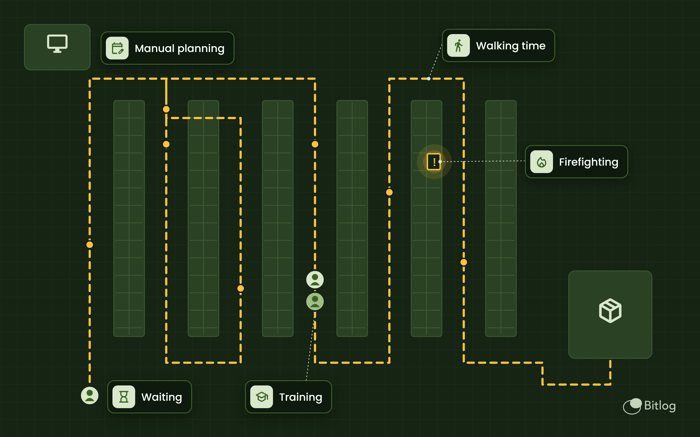
Five places the hours disappear
1. Walking time and pick routes
Does your team pick one order at a time, in the same order the lines appear on the list? Then much of the days is spent walking. A system that sorts picks by location and groups several orders into one trip shortens the distance. With optimized pick routes, walking distance drops by up to 30%. Wholesaler Tammer went from picking one order at a time to batch picking up to 24 orders at once.
2. Waiting for the next pick task
A picker waiting for the next list costs exactly as much as one who's picking. The same goes for a warehouse manager handing out jobs one at a time. In e-commerce you can see it most clearly around cut-off: calm first, then chaos. A wholesale warehouse that must finish before the evening truck leaves sees the same thing. The system should know what has to ship first and hand each person their next task right away.
3. Manual planning and relying on one person
Does someone go through orders by hand every morning, decide what to pick first and redo it all when a delivery runs late? That's a hidden full-time job. It's usually your most experienced person doing it. When that person is away, no one else knows the plan.
4. Training new staff
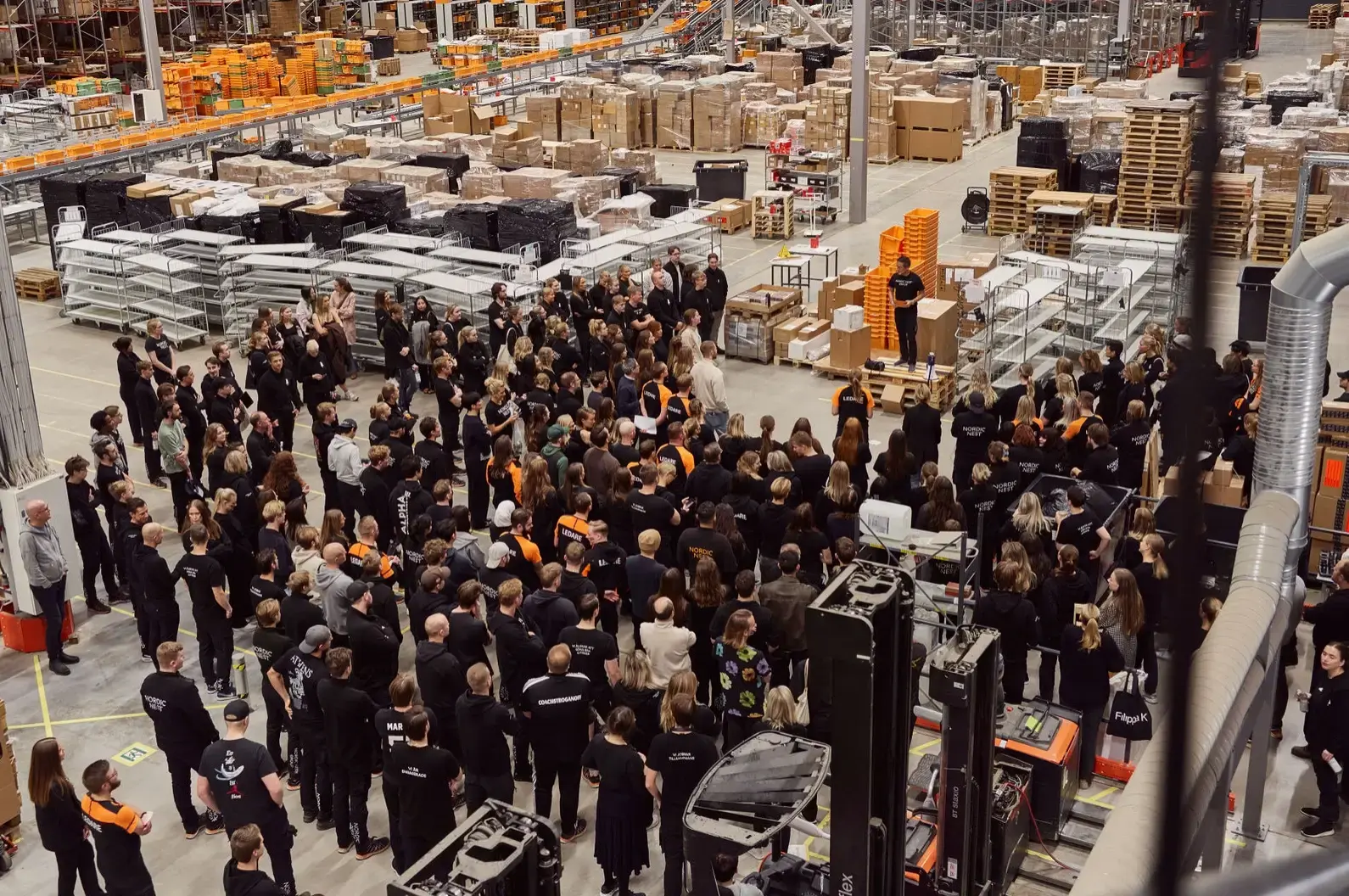
A system that takes a week to learn means a week of double staffing for every new hire and every seasonal worker. With a mobile app that shows each step, new pickers can be productive after a 15-minute introduction. As Hampus Bergdahl, Data Engineer at Nordic Nest, puts it: "It's incredibly easy for us to train new colleagues and get them operational."
5. Firefighting
Stock levels that don't match, pick locations that run empty in the middle of a pick round, wrong picks that need fixing. All of it is work that shouldn't exist. At Guideline, restocking went from about two days to about 30 minutes once the system started creating restocking tasks automatically. At workwear company Vårdväskan, receiving is now more than 30% faster and needs less than one full-time employee.
How to measure it in your own warehouse
You don't need a new system to see where the hours go. You can start today:
- Measure order lines per hour per picker, in a normal week and a peak week. The gap shows how much extra staff you need when it's busiest.
- Follow a picker for an hour. Note how much time is spent walking, waiting, searching and actually picking.
- List everything done by hand that the system should handle: manual order planning, checking stock by hand, data entered twice. For more to look for, read Five signs your WMS is making your team work harder than it needs to.
- Add up onboarding time for your latest hires, including the time of the colleague who trained them.
- Multiply the hours by your hourly labor cost. Now you have a real number to work with, not just a feeling.
Why an older WMS can't keep up anymore
Many older systems were built for warehouses with fewer items, fewer types of customers and later cut-offs. Today the same warehouse often ships to consumers, retailers and businesses from the same shelves. As you grow, you can't plan all of that by hand.
Integrations are another problem. When the WMS doesn't sync with your ERP or e-commerce platform in real time, someone ends up doing the work between systems: typing in orders, checking stock and answering questions from the office. And if you invest in automation such as AutoStore, the system needs to steer robots and people in the same order flow. Otherwise robots and people end up working at different speeds.
If you take one thing from this article: a system that records what happened is not the same as a system that plans what happens next.
How Bitlog WMS handles it
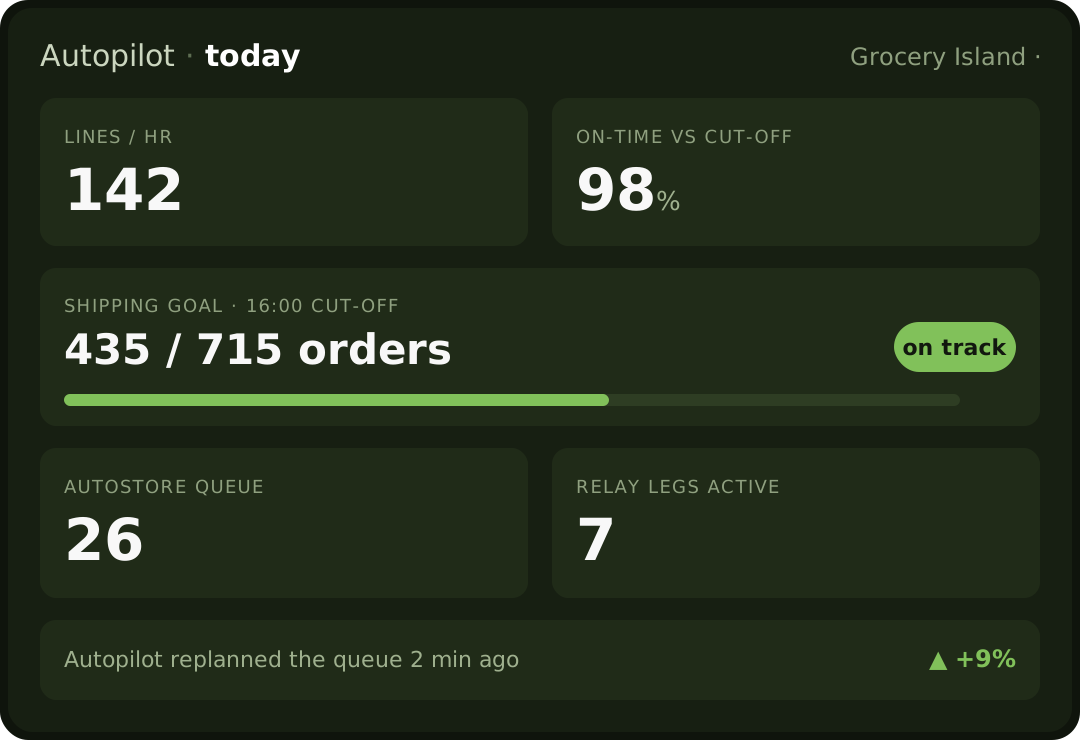
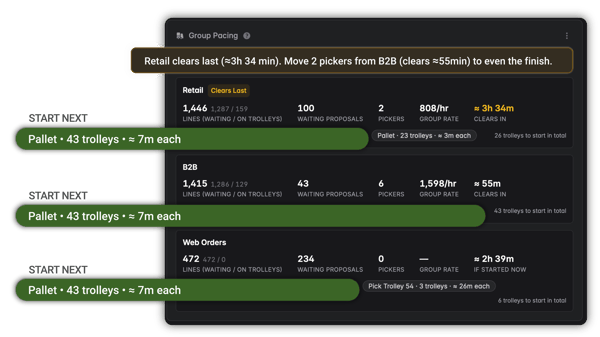
In Bitlog WMS, Autopilot handles the planning. It prioritizes orders around stock levels and cut-off times, assigns the work and replans all open orders about every three minutes. When a truck runs late or an important customer places an urgent order, the plan adjusts right away, without anyone replanning by hand.
On the floor, Relay Picking lets manual zones and automation, such as conveyors and AutoStore, work on the same orders in one flow. With Picking Route Optimization, walking distance drops by up to 30%.
The results show up across very different industries. Online pharmacy Apohem hit its one-year picking goal in four months and now picks 45% above target. Hultafors Group picks 200% faster in Poland, where the warehouse went from around 1,000 to 3,000 order lines a day with Bitlog and AutoStore.
You keep your ERP. Bitlog runs the warehouse. Switching takes about five weeks of work, spread over 5 to 12 calendar weeks at your pace.
Frequently asked questions
Why do staffing costs get high without a modern warehouse management system?
Because people do the planning, prioritizing and checking instead of the system. That means more walking, more waiting and more manual work per order. The only way to handle more orders is to hire more people.
How does a WMS that isn't integrated affect growth?
Every new sales channel, customer or item adds more extra work and manual checks. The warehouse can't keep up, and growing means hiring.
Do we need to replace our ERP to switch WMS?
No. Your ERP stays, and the WMS takes over what happens in the warehouse. Bitlog integrates with a range of ERP systems, with native integrations for Visma.net and Visma Business and a deep fit with the Microsoft Business Central ecosystem.
When will we see the effect on labor costs?
It depends on your volumes and how your warehouse runs today. ROI comes in months, not years.
Plan the day before it plans you
Most warehouses don't need more hands. They need a system that does its share of the work.