Warehouse management system

Not a system of record. Bitlog WMS runs the floor of your warehouse.

Bitlog is warehouse management software built around your entire order flow, from inbound to dispatch. Below: every step, and the module that runs it.
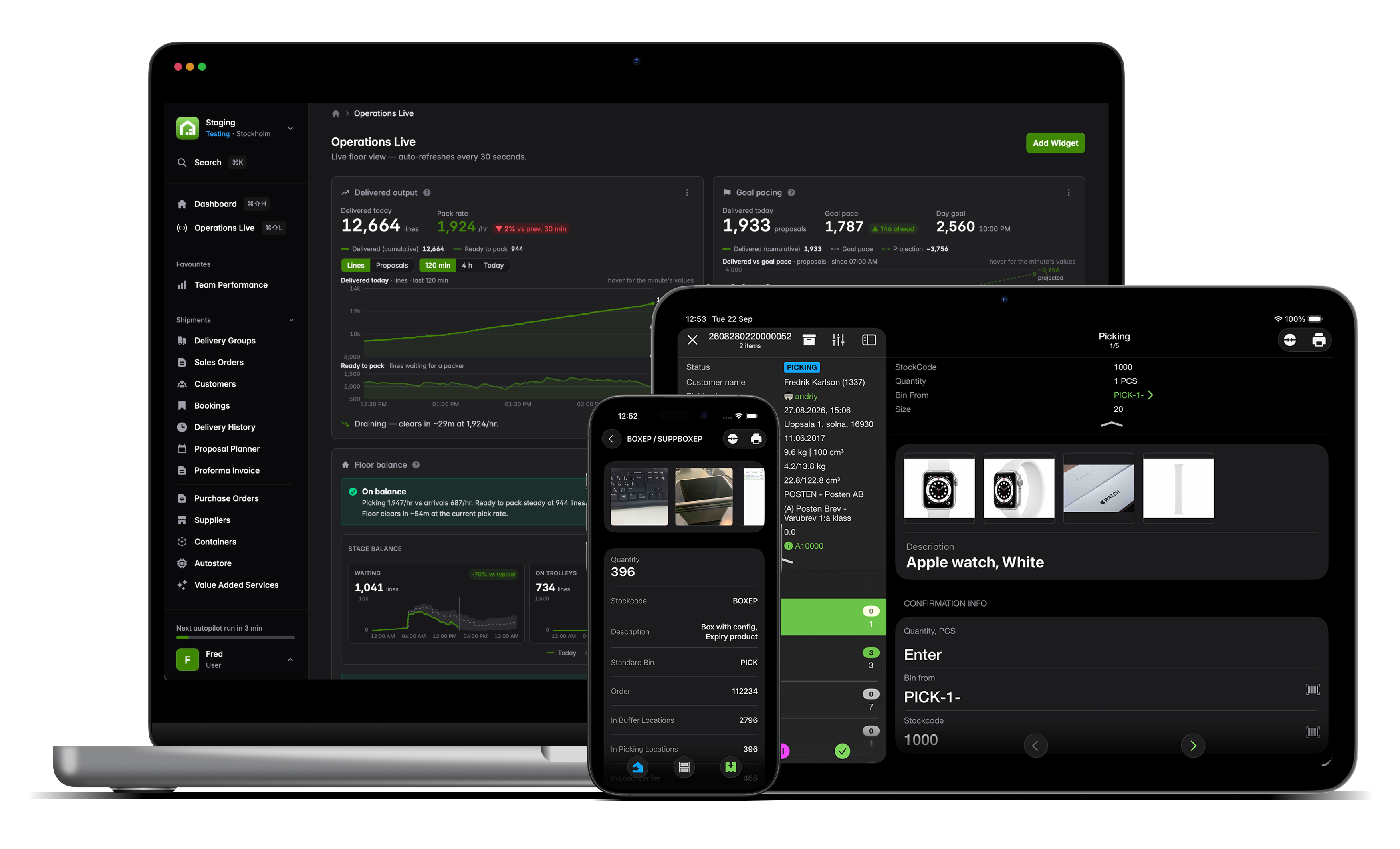
Mobile tablet laptop bitlog 11
nordic-nest-1
hultafors-group
tammer-brands
morgenlevering
desenio
Care of Carl-logo-RGB
Firefly_Låt den animerade figuren i 3D (referensbilden) flyga upp i luften med ena armen lyft 595077 - Edited

Bitlog WMS runs each step across your order flow

Your ERP records what you own and what you owe. Bitlog runs what happens next, from the moment goods arrive to the moment they ship.

Here is every step of that flow, and the module that does the work at each one. Every step shares one source of truth with the rest of the operation and with your ERP.

arrow_left

Inbound and receiving

Suggest Inbound tells the receiver where each arriving item should go, and knows whether it's needed for an open order right now. Receiving speeds up and the count is never a surprise.

  • task_alt
    Cross-dock items straight to the orders waiting on them, skipping the shelf entirely
  • task_alt
    Put-away proposals based on velocity and space, not guesswork
  • task_alt
    Continuous cycle counts as you receive, so stock stays trustworthy without a year-end shutdown
bitlog-wms-mobile-connect-a-scanner
arrow_right

Stock and replenishment

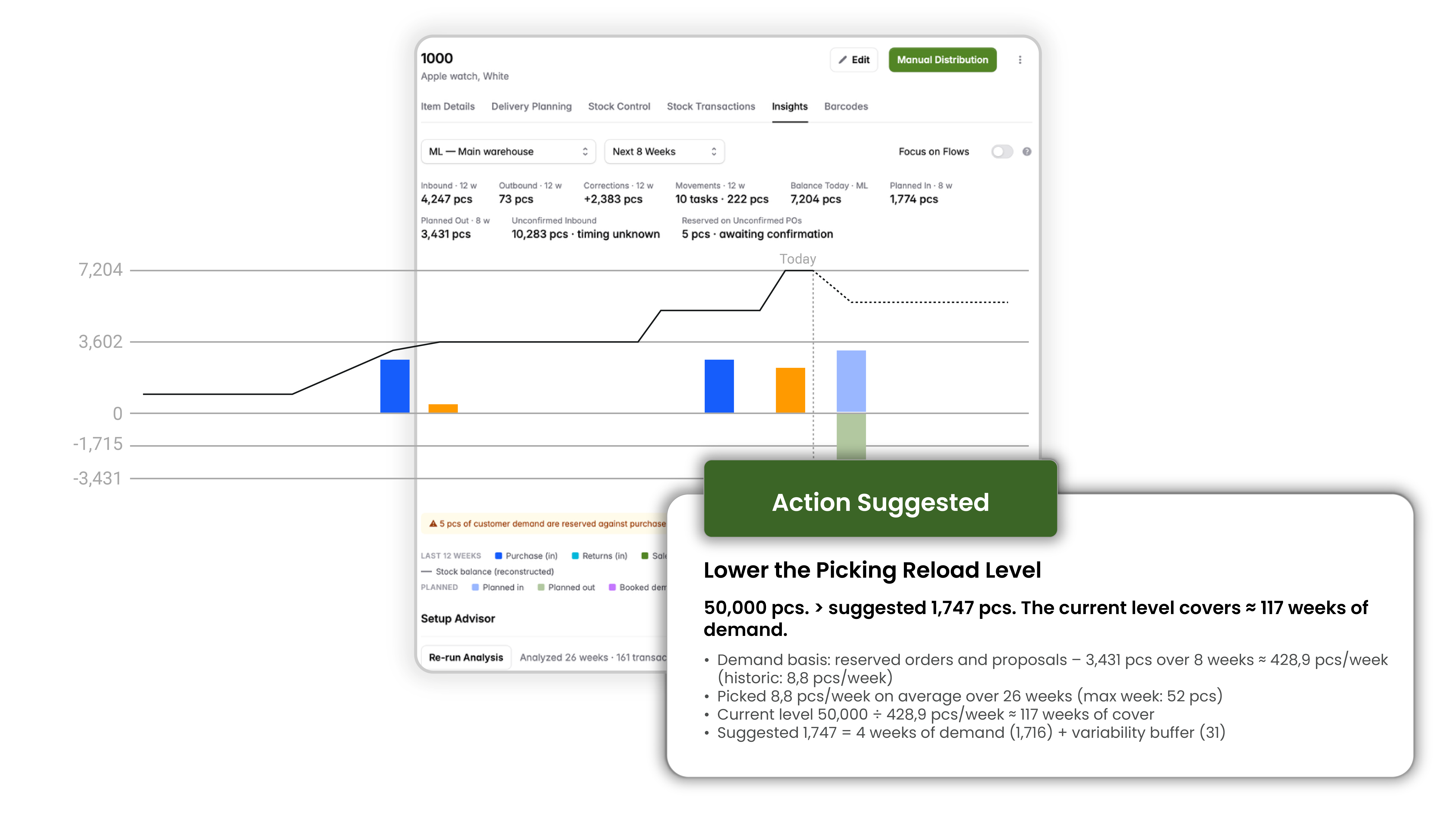
Bitlog holds one live picture of stock across every zone, and keeps reservations working for the orders that ship first. The item page gathers everything about a product in one place and flags what you'd otherwise have to catch yourself. Buffer stock feeds the right orders, and you see a stock problem coming instead of discovering it.

  • task_alt
    Buffer and reservation logic that moves stock down to the orders shipping soonest, not the order that happened to reserve it first
  • task_alt
    Reservations re-optimized continuously as priorities shift
  • task_alt
    Supply and demand simulation: a forward-looking view that lets you test the effect of a change before you commit to it
  • task_alt
    Expiry-risk flagging for batches that won't sell in time, so stock doesn't quietly become waste
item_insights_popping_objects
arrow_left

Planning and picking

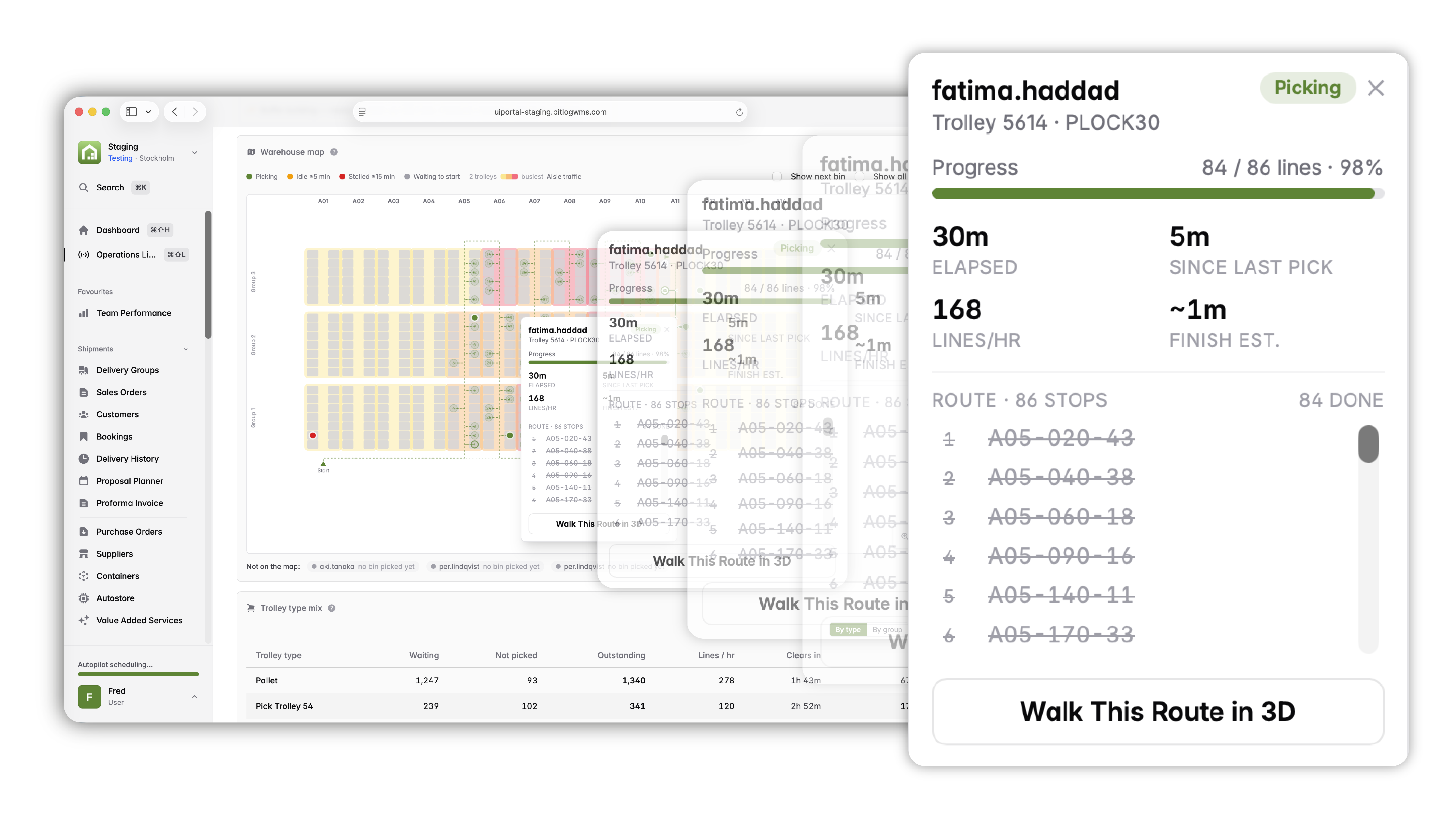
Autopilot and Proposal Planner build the day's picking work around cut-offs and SLAs. Relay Picking and Picking Route Optimization run the pick itself. The floor works the orders that matter, on the shortest path, without a supervisor rebuilding the plan by hand.

Proposal Planner and Picking Route Optimization are licensed modules.
  • task_alt
    Picking proposals generated automatically, with the most urgent orders scheduled first
  • task_alt
    Batch picking on trolleys, multiple orders per round instead of one
  • task_alt
    Optimized routes, up to 30% less walking distance
  • task_alt
    Reacts to live picking capacity and suggests moving people to where the work is
nya_webportalen_objects_popping_out
arrow_right

Pack and consolidation

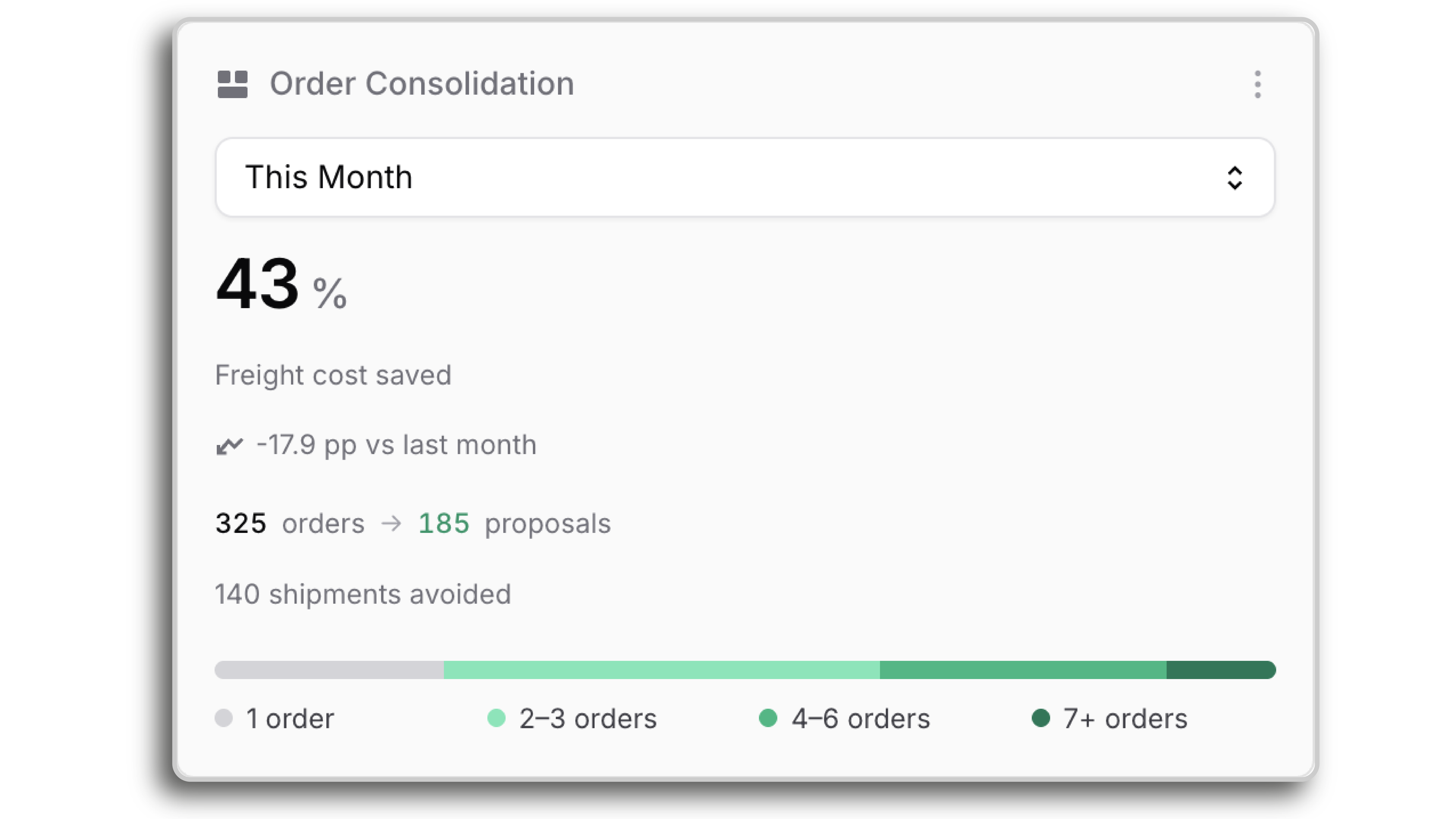
Bitlog consolidates an order's parts at the end and protects your customer delivery promise, which matters most for B2B distribution. Fewer shipments, lower freight, and promised quantities that hold.

  • task_alt
    Consolidation, so parts picked across zones ship as one parcel, not several
  • task_alt
    Fixed delivery-day matching, handled automatically per customer
  • task_alt
    Booking Orders protect promised quantities against other demand
  • task_alt
    Backorder piggybacking: hold a small back-order against a value threshold and a day limit you set, then release it automatically onto the customer's next shipment, so it never becomes a separate parcel or a manual to-do
Your_whole_order_backlog_reoptimized_every_few_minutes_plain
arrow_left

Outbound and shipping

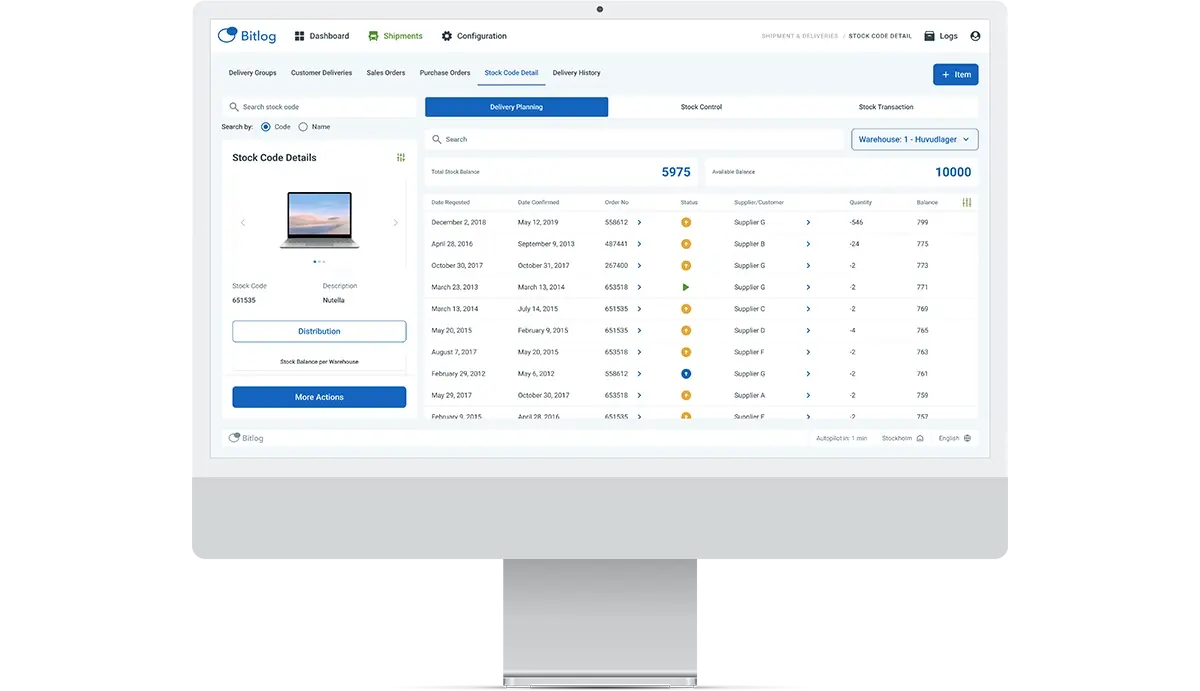
The moment an order is complete, Bitlog produces and sends everything the shipment needs. The parcel leaves on time and the paperwork is already done.

  • task_alt
    Carrier connectors and transport labels, generated automatically
  • task_alt
    Content labels and export documents produced as the order closes
  • task_alt
    Order confirmations sent without anyone chasing them
Web_Portal-Shipments-4

How is this different from a WMS that re-plans in waves?

Most systems execute a fixed batch, then wait for the next wave to catch up. Bitlog never waits. It re-solves the entire open-order backlog about every three minutes, and it solves for everything at once: carrier cut-offs, customer SLAs, live picking capacity, and the promise date on each order. Hitting one cut-off never quietly breaks a promise somewhere else.

For a CTO, that's the point: a planning core you can reason about, not a black box. For the floor, it's simpler. The plan is right whenever you look at it, all day.

Firefly_Gemini Flash_Låt den animerade 3D figuren luta sig nonchalant med armarna i kors mot kortsidan av  400645 - Edited
rule

It's deterministic, not AI. The same inputs produce the same plan every time, and because the logic is rule-based rather than learned, it's something you can reason about instead of a black box

balance

It balances competing goals in one pass, instead of following a single priority and hoping the rest holds

box

Reservations cascade to the orders shipping soonest, not the order that reserved stock first

cycle

It runs continuously in the background and is built to keep solving at the volumes a busy warehouse actually hits

One place to see the whole floor and act on it

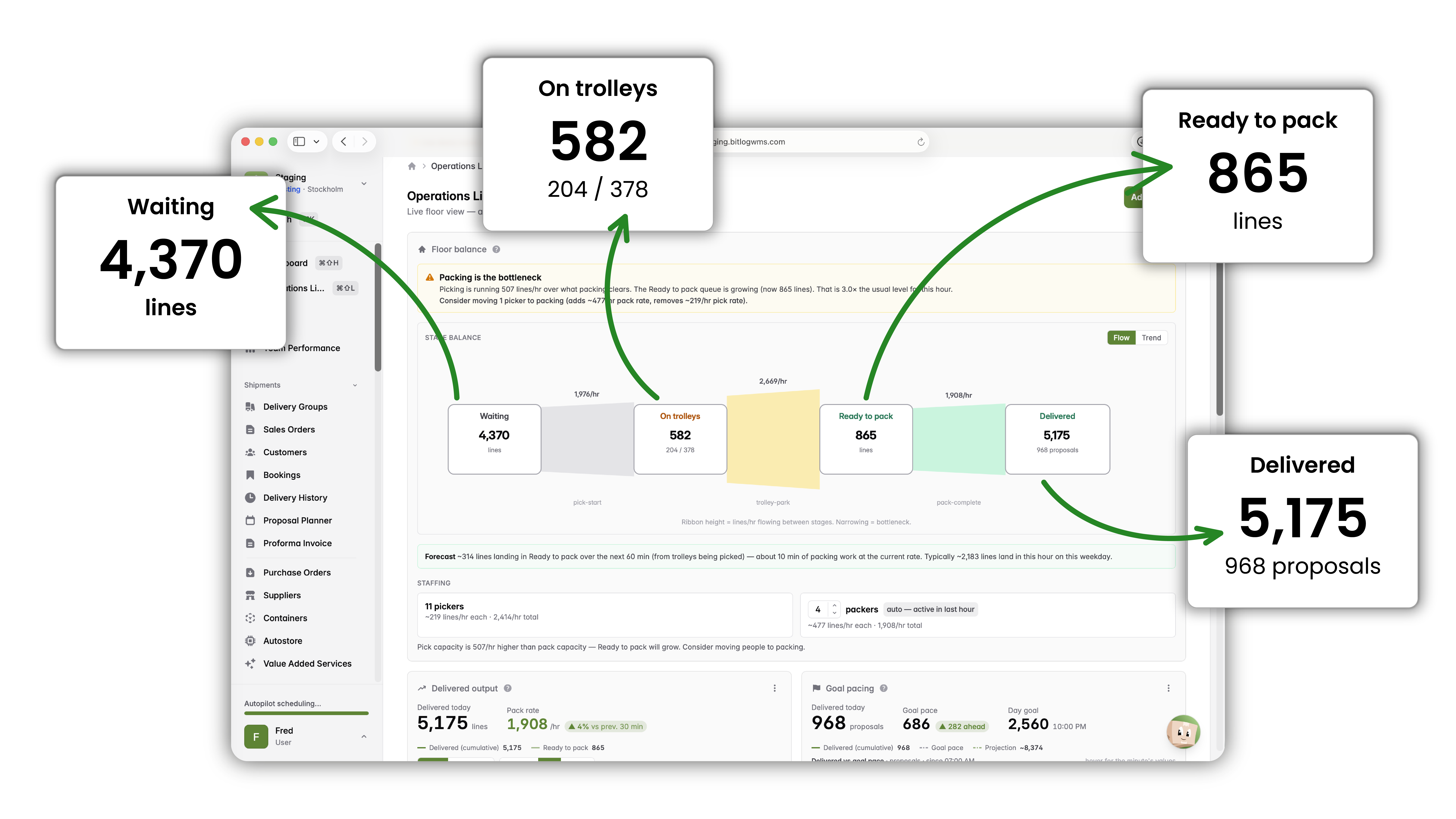
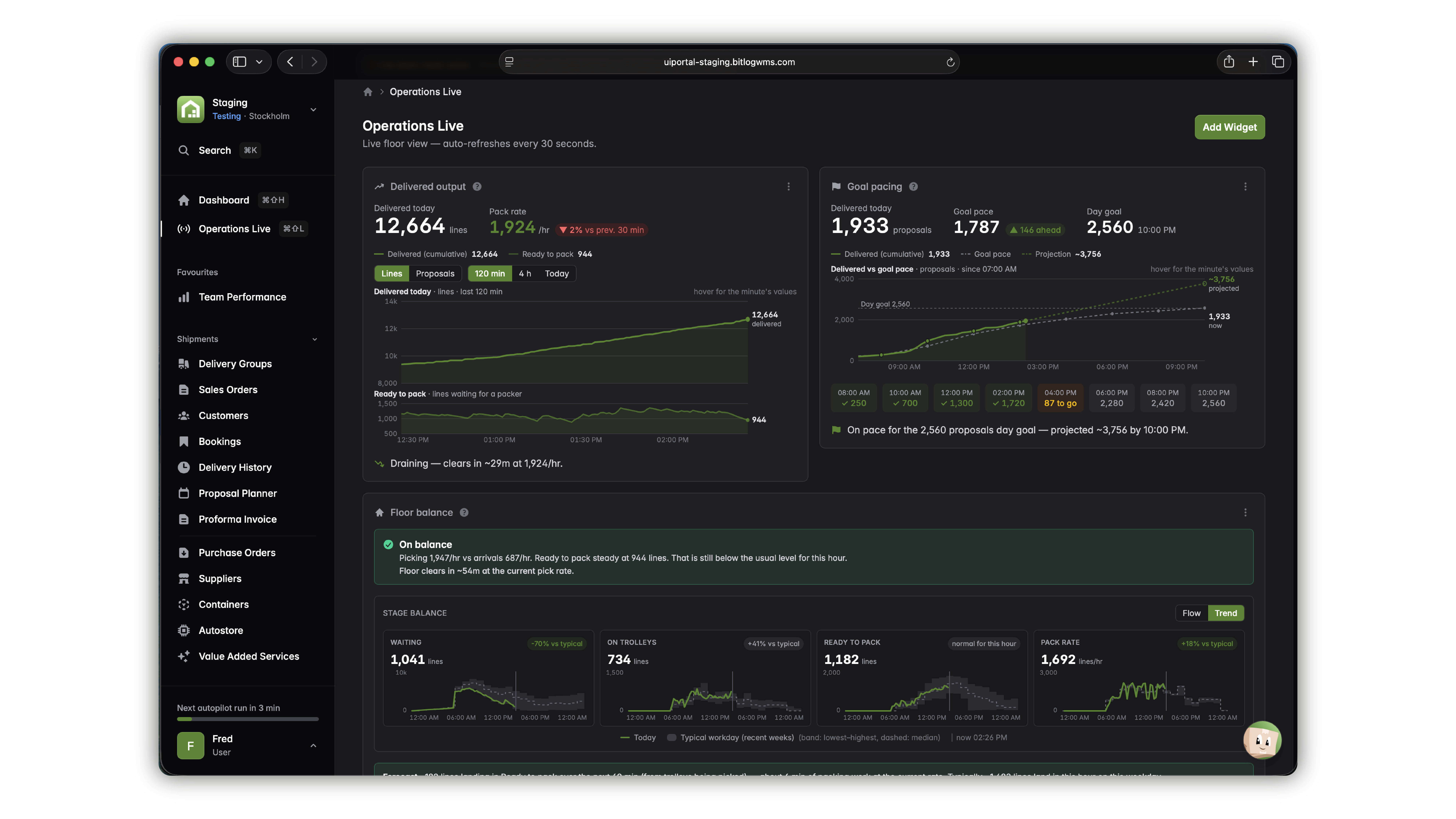
The web portal is where you run the operation. Operations Live gives a warehouse manager a minute-by-minute picture of the floor, next to a dashboard you configure to match how you work. You steer the floor from one screen, in real time, and catch the problem while you can still fix it.
Bitlog_web_portal
table_chart_view

Floor Balance

A live overview of the whole operation, with a history baseline that adapts to your pattern, e-commerce peaks or flatter B2B flows, so trends and comparisons actually mean something

warning

Stalled work, surfaced automatically

Problem trolleys and stuck work are flagged before a bottleneck turns into a missed cut-off

widgets

Live widgets

Pick rate, delivery output, packers, and ongoing picking, per day, per proposal, or per line

progress_activity

Shipment goals with trends

Set a target and follow progress through the day

map

Warehouse map with heat map and 3D view

See activity across the building, and simulate a pick to follow the route through the warehouse in three dimensions

select_window

Your setup follows you

Dashboard and Operations Live configurations are saved centrally, so your view is the same on any browser or screen, from a laptop to a wall monitor

Add robots without adding a second system

Bitlog runs a fully manual floor and a fully automated operation on the same brain. When you add automation, you don't add a second system to reconcile against.

Relay Picking coordinates handoffs as an order moves across zones. The AutoStore Connector drives goods-to-person robots in the same order flow as manual picking, and consolidates at the end.
Operations_Live_plain

Hultafors runs four warehouses in three countries on two continents in one Bitlog WMS. In Poland, Bitlog and AutoStore lifted pick speed 200% and took the site from 1,000 to 3,000 order lines a day.

The automation page goes deeper, every tier from a single vertical lift to full AutoStore and relay, and exactly what Bitlog does at each.

table_chart_view

25 to 40% faster fulfillment when relay and AutoStore work together

warning

Up to 4× storage density with AutoStore

widgets

One inventory truth across manual and automated zones

progress_activity

Add zones and capacity without re-platforming

map

99.5% picking accuracy when relay and AutoStore work together

The AI assists and coaches. Your operations run on the optimization engine

The AI's job: it studies how the day went and gives your team coaching they can act on.

Team Performance gives leaders a clear read on the operation: leaderboard, shift and segment times, and data export. Claude-written insights analyze team performance and suggest coaching in plain language, on demand or scheduled nightly, tuned to your operation through a configurable context.

Your supervisors get an extra analyst, and the CIO gets an architecture where no personal data leaves the building.
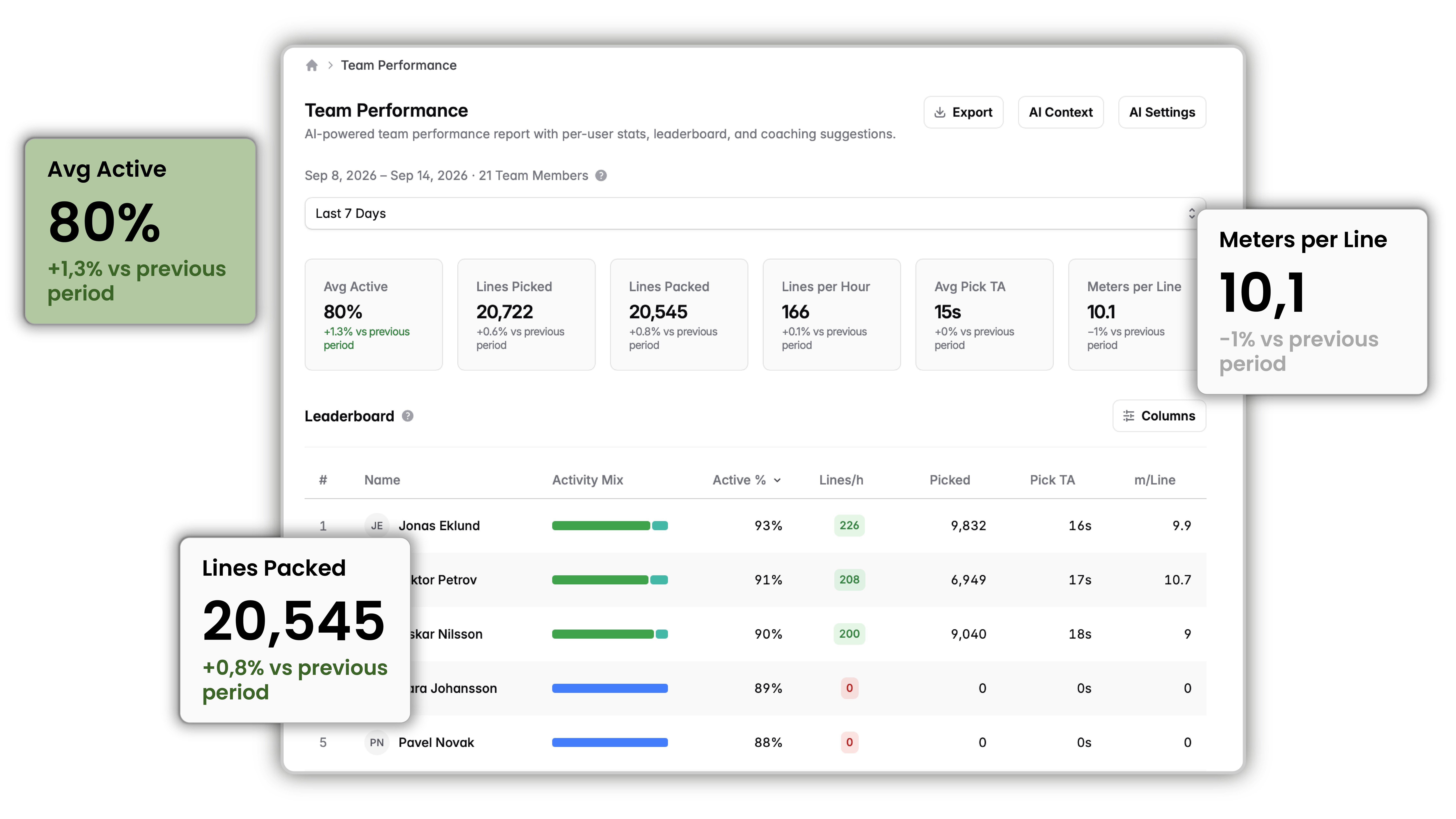
Team_performance_objects_popping_out
chat_info

Coaching insights

Claude-written coaching insights in plain language, on demand or scheduled nightly

support_agent

Parcello, our in-app assistant

Parcello answers Bitlog questions from anywhere in the web portal. It knows which page you're on and what your licence covers, shows the documentation it answered from, and helps you find the cause when an order is stuck.

security

Nothing sensitive leaves Bitlog

Only your question and Bitlog's own documentation reach the AI, never live warehouse data or personal data, and Parcello routes live-data questions to Bitlog Support instead of guessing

api

Agent-ready APIs (MCP)

Open your warehouse data to AI agents, on the roadmap for end-2026

The modules that run your warehouse

Autopilot

Plans and continuously re-plans the day's work around cut-offs.

Ops Warehouse Manager

Proposal Planner

Builds picking proposals against carrier cut-offs and SLAs

Ops

Suggest Inbound

Proposes the best destination for arriving goods, enables cross-dock.

Receiving team

Relay Picking

Coordinates handoffs across manual and automated zones

Pickers Ops

Picking Route Optimization

Shortest pick paths, up to 30% less walking.

Pickers

AutoStore Connector

Runs goods-to-person robots in one flow with manual zones

Ops IT

Booking Orders

Protects promised quantities for B2B distribution

Ops Customer service

Operations Live

Real-time floor view, Floor Balance, bottleneck detection

Ops Supervisors

Team Performance

Anonymized leaderboard and Claude-written coaching insights

Supervisors

Web portal

Configuration, dashboards, planning, live monitoring

Ops IT

Mobile app

Inbound, pick, pack, and outbound in one app

Floor team
format_quote
With Bitlog WMS we're seeing a 40% increase in operational efficiency and a 25% reduction in staffing costs.
Magnus Olsson
Magnus Olsson Head of Logistics, Care of Carl
format_quote
It's incredibly easy for us to train new colleagues and get them operational.
Hampus Bergdahl
Hampus Bergdahl Data Engineer, Nordic Nest
format_quote
When we started working with Bitlog WMS, we set a goal of 100 order lines picked per hour within a year. We achieved that in four months.
Anette Mühlbach
Anette Mühlbach Chief Supply Chain Officer, Apohem

The questions your IT team will ask, answered

Bitlog is cloud-native on Microsoft Azure, API-first, and open by design. Your ERP stays the system of record. Bitlog runs the warehouse and connects cleanly to everything around it.

robot_2

Agent-ready

The first MCP read endpoints ship in Bitlog 11, so AI agents can start reading the warehouse. Fuller endpoints and agent actions are on the roadmap

security

Security

ISO 27001 in progress. AI coaching insights are anonymized by design, and worker names never leave Bitlog

cloud_upload

Cloud-native & built for volume

Runs on Microsoft Azure and upgrades automatically, one release for everyone, no migration project. Proposal lists past 1,000 items load instantly and stream the rest, views stay live during Autopilot runs, and dashboards hold steady under load

automation

Integrations

Ready connectors and open APIs link your ERP, e-commerce, and carriers. Deep Business Central ecosystem fit, available on AppSource and MACC-eligible, with native integration to Visma.net and Visma Business

100% uptime • ISO 27001 in progress • Open APIs

One platform, from Small to Large

Bitlog scales with you. Start with core planning, picking, and live stock, then switch on modules as volumes climb and automation arrives. Every plan is upgraded automatically, at no extra cost, and lives on the same platform, so you never re-platform as you grow.

💡 These are three typical pricing examples based on common configurations – your actual price will depend on the number of users, add-ons, number of sites, etc.

Common questions about Bitlog WMS

How can a WMS help a warehouse manager? expand_more

A warehouse management system plans the day, prioritizes orders around cut-offs, routes the picking, and keeps stock accurate in real time, so the manager spends the day steering the floor instead of firefighting it.

How does Bitlog reduce picking errors? expand_more

Bitlog directs each pick, confirms it, and runs optimized routes and batch picking, which is how customers reach 99.5% picking accuracy across manual and automated zones.

What's the fastest way to onboard new warehouse staff? expand_more

Bitlog's mobile app puts inbound, picking, packing, and outbound in one guided flow. New team members are typically picking on their own after a 15-minute introduction.

How long does it take to implement Bitlog? expand_more

About five weeks of project work, spread across five to twelve calendar weeks at your pace, alongside daily operations.

Can Bitlog work with Microsoft Business Central? expand_more

Yes. Bitlog has deep Business Central ecosystem fit, is available on AppSource and MACC-eligible, and integrates natively with Visma.net and Visma Business.

How does Bitlog Autopilot work? expand_more

Bitlog Autopilot is the planning layer built into Bitlog WMS. It automatically reserves stock for orders from existing inventory or incoming purchase orders, generates pick lists, and groups orders going to the same destination. The result is fewer manual decisions, lower freight costs, and more consistent delivery performance.

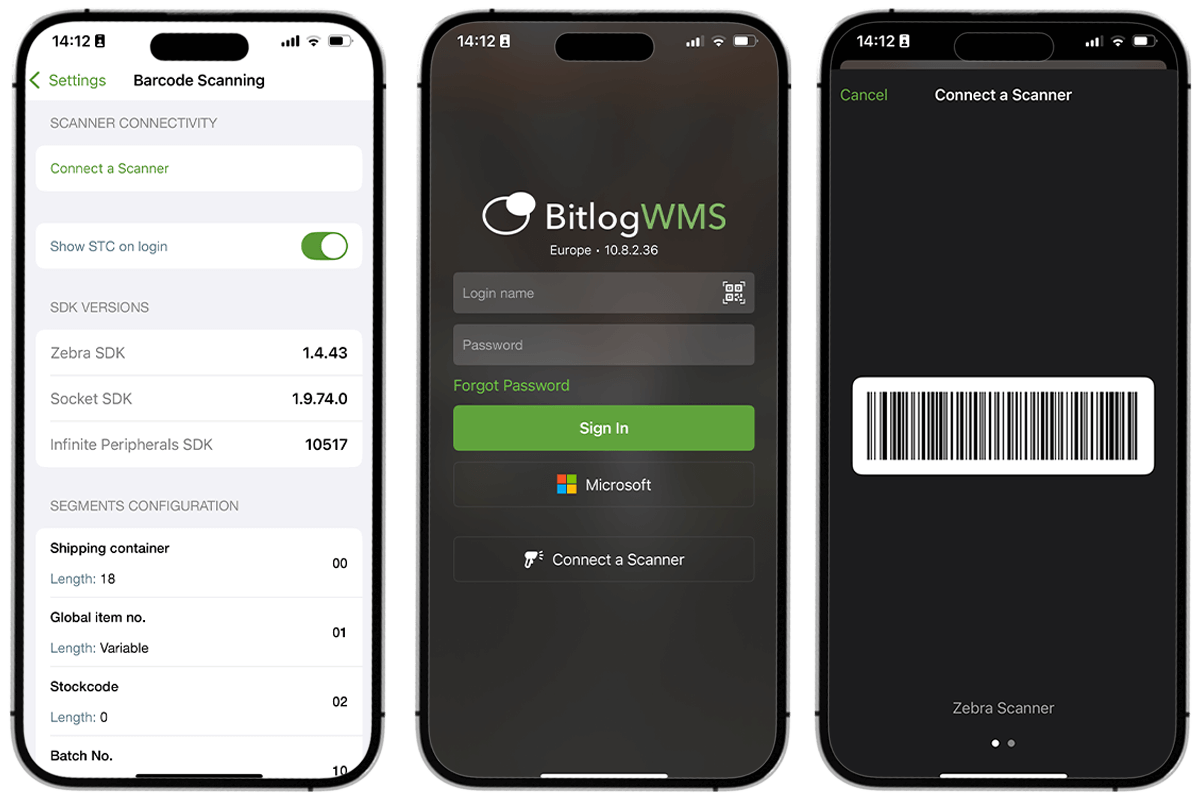
Does Bitlog WMS work with handheld scanners? expand_more

Yes. Bitlog works with standard barcode scanners and also runs as a native app on iOS and Android devices. Your team can use existing hardware or standard smartphones. No proprietary equipment required.

See Bitlog run your own order flow

Book a 30-minute demo and we'll map your setup onto Bitlog, from inbound to dispatch, on your own data.